
Key facts
- Brand
- Philips
- Model
- VTR8400
- Category
- Voice recorder
- Documents
- 5
- Languages
- ZH · EN
- Last added
- 2023-11-11
Start here
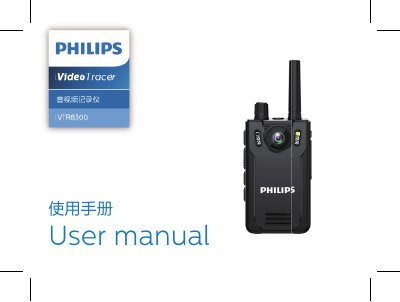
Philips VTR8400 Audio and Video Recorder User Manual
Philips VTR8400 VoiceTracer is an audio and video recorder with photography, voice recording, video playback, photo viewing, voice playback, and walkie-talkie functions. This user manual covers safety notes, device overview, charging and computer connection, recording and playback modes, settings, back clip use, troubleshooting, and technical parameters.
The manual also lists system requirements, dimensions, weight, operating conditions, and audio recording bit rates for the recorder. This manual is written in Chinese.
Philips VTR8400 specifications
| External memory reference recording time | ca. 86 hours (16 GB) |
|---|---|
| Internal memory type | C10 TF card |
| PC mobile memory | Yes |
| Dimensions | 58 x 100 x 26 mm |
| Weight | 203 g including battery, excluding shoulder clip |
| Operating system | Windows 7/8/10/Vista/XP/2000, Mac OS X, Linux |
| Port | USB |
| HQ audio recording | 1536 kbps, WAV format |
| SLP audio recording | 384 kbps, WAV format |
| Operating temperature | -30 C to 55 C |
| Air humidity | 10% to 90%, uncondensed |
Source: Philips VTR8400 Audio and Video Recorder User Manual
All Philips VTR8400 documents by type
Day-to-day operation, settings and troubleshooting. Start here if the product is already set up.
Questions answered in these manuals
Why does the recorder fail to start?
The battery is empty, so it should be recharged promptly.
What should I do if the time or date is incorrect?
Reset the time on the menu.
Does the VTR840 have built-in memory for recording?
No. The device has no internal memory, so a TF memory card must be inserted before the recording function can be used.
How do I switch the recorder on and off?
Slide the power switch to ON to switch it on and to OFF to switch it off; the LED lights up after power-on.
How do I turn the recorder on and off?
To turn on, press and hold the power key down for 2-3 seconds. To turn off, press and hold the power key down for 2-3 seconds while the device is on.
From: Philips VTR8400 VoiceTracer audio and video recorder User manual
What recording formats does the VTR840 support?
It supports MP3 44kHz, PCM 96kHz/24bit, PCM 96kHz/16bit, PCM 48kHz/16bit, and PCM 32kHz/16bit formats.
From: Philips VTR8400 VoiceTracer audio and video recorder User manual