
Key facts
- Brand
- HP
- Model
- 7200 系列
- Category
- Printer
- Industry
- Electronics
- Documents
- 9
- Languages
- IT · EN · ZH
- Last added
- 2026-11-28
Start here
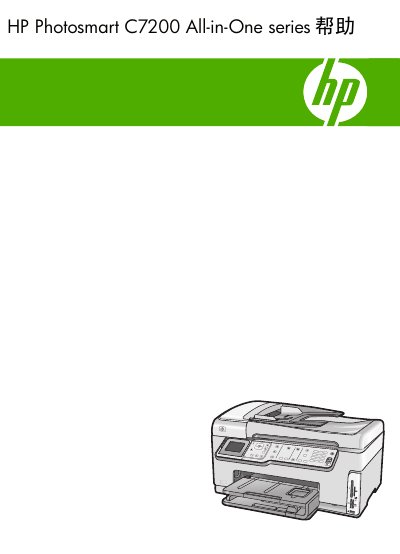
HP Photosmart C7200 All-in-One Series User Manual
This guide covers every aspect of the HP Photosmart C7200 All‑in‑One printer. It details the control‑panel layout, menu options for copy, scan, fax and photo printing, as well as text entry methods and display icons.
The manual also explains how to connect the device via Ethernet, Wi‑Fi or Bluetooth, configure network settings, perform routine maintenance such as cleaning the print head and replacing ink cartridges, and troubleshoot common issues. This manual is written in Chinese.
HP 7200 系列 specifications
| Connectivity | Standard USB front and back ports |
|---|---|
| In tray capacity | 25 sheets of photo paper |
| Supported operating systems | Windows 98, 2000 Professional, ME, XP Home, XP Professional |
| Image file formats | JPEG Baseline, TIFF 24‑bit RGB uncompressed, etc. |
All HP 7200 系列 documents by type
Day-to-day operation, settings and troubleshooting. Start here if the product is already set up.
- HP 7200 Series Photosmart User Manual 2 p
- HP Photosmart 7200 Series Basics Guide 64 p
- HP ENVY Inspire 7200e/7900e series User Guide 97 p
- HP Photosmart C7200 All-in-One Series User Manual 301 p
- HP Photosmart D7200 series Printer Basics Guide 57 p
- HP Photosmart C7200 All-in-One series Manual 85 p
- HP Officejet 7200 All-in-One Series User Manual 235 p
- HP Photosmart 7200 Series Printer Basic Operating Instructions 62 p
Questions answered in these manuals
Do I need to insert the HP Photosmart CD before connecting the printer?
Yes, you must insert the HP Photosmart CD before connecting the printer to your computer.
Can I touch or remove the ink nozzles or copper contacts?
No, you must not touch or remove the ink nozzles or the copper contacts.
How can I view the HP Photosmart Printer Help on a Windows PC?
Open the Start menu, go to Programs → Hewlett‑Packard → Photosmart series → Photo & Imaging Director, then click Help.
Where can I find the printer specifications?
Specifications are listed in Appendix A of this guide or on the HP online support website.
What is the recommended operating temperature range for this printer?
The recommended operating conditions are between 15° and 32° C (59° to 90° F).
What is the maximum black‑and‑white print resolution?
The printer can produce up to 1200 × 1200 dpi in black‑and‑white mode.