
Key facts
Start here
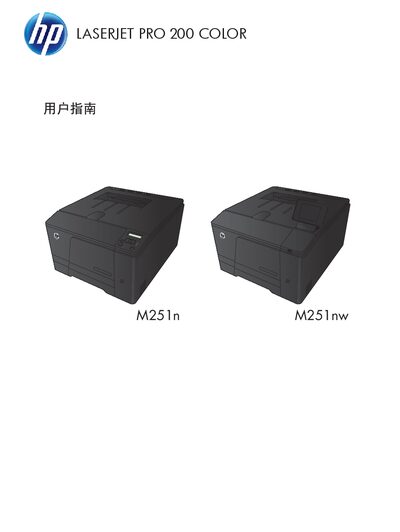
HP LaserJet Pro 200 Color M251n M251nw User Guide
This guide provides an overview of the HP LaserJet Pro 200 Color M251n/M251nw printers, including hardware layout, paper tray configuration, and supported media types. It also explains how to install drivers, configure network settings, and use the control panel for everyday printing tasks.
The manual includes detailed instructions for routine maintenance, toner replacement, firmware updates, and a step‑by‑step troubleshooting checklist to resolve common issues such as paper jams, low toner, and connectivity problems. This manual is written in Chinese.
HP 2.51 specifications
| Software version | 2.51 |
|---|---|
| Document release date | August 2007 |
| Software release date | August 2007 |
Source: HP 2.51 SOA Systinet Software Visibility Edition Demo Guide
All HP 2.51 documents by type
Day-to-day operation, settings and troubleshooting. Start here if the product is already set up.
Questions answered in these manuals
How do I unpublish the demo?
Run run.bat unpublish to unpublish the demo.
From: HP 2.51 SOA Systinet Software Visibility Edition Demo Guide
How do I rebuild the demo?
Execute run.bat clean to delete the classes directory and run.bat make to rebuild the demo classes.
From: HP 2.51 SOA Systinet Software Visibility Edition Demo Guide
Are configuration files saved with F.05.17 compatible with earlier software versions?
No. A configuration file saved while using release F.05.17 or later software is not backward-compatible with earlier software versions, so HP recommends archiving the most recent configuration before updating.
From: HP ProCurve Switch 2512/2524 Release Notes for Operating System Version F.05.17
Which switches does operating system version F.05.17 apply to?
It applies to the HP ProCurve Switch 2512 (J4812A) and HP ProCurve Switch 2524 (J4813A).
From: HP ProCurve Switch 2512/2524 Release Notes for Operating System Version F.05.17
How do I clear a paper jam in tray 1?
Press OK after removing the jammed paper from tray 1 as instructed on the control panel.
How can I adjust the focus on the HP Premium auto‑focus camera?
Open the camera settings in WebCam Companion or Magic‑i 3, uncheck the Auto Focus box, and move the focus slider to manually adjust the focus.