
HP 7200 Series Photosmart User Manual

HP 7200 Series Photosmart User Manual provides installation instructions for the printer.
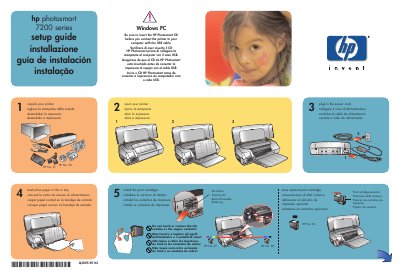

HP 7200 Series Photosmart User Manual - cover page
Brand
HP
Category
Printer
Document type
User Manual
Language
Italian
Pages
2
File format
PDF
File size
1.8 MB
Published
28 November, 2026
Updated
28 November, 2026
MD5 checksum
05C75AE6E949D6BC552CF18913EE7E5C

About this manual

The document is the installation guide for the HP Photosmart 7200 Series printer. It includes steps to unpack, plug in, load paper, install cartridges, and install software using the included CD. This manual is written in Italian.

What's inside

  • Unpack your printer
  • Plug in the power cord
  • Load plain paper in the in tray
  • Open your printer
  • Install the print cartridges
  • Store optional print cartridge
  • Print cartridge protector
  • Install the hp photosmart printer software

Specifications

Printed on recycled paperImpresso na Alemanha 04/03 v1.0.2 • Impresso em papel reciclado © 2003 Hewlett-Packard Company
CD required for software installationDo not connect the printer to your computer until prompted.

Frequently asked questions

Do I need to insert the HP Photosmart CD before connecting the printer?

Yes, you must insert the HP Photosmart CD before connecting the printer to your computer.

Can I touch or remove the ink nozzles or copper contacts?

No, you must not touch or remove the ink nozzles or the copper contacts.

Download PDF (1.8 MB)

More HP Manuals


View all HP manuals →