
Key facts
- Manuals
- 10
- Brands
- 3
- Languages
- EN · ZH
- Last added
- 2026-10-03
Featured Clocks and Timers manuals
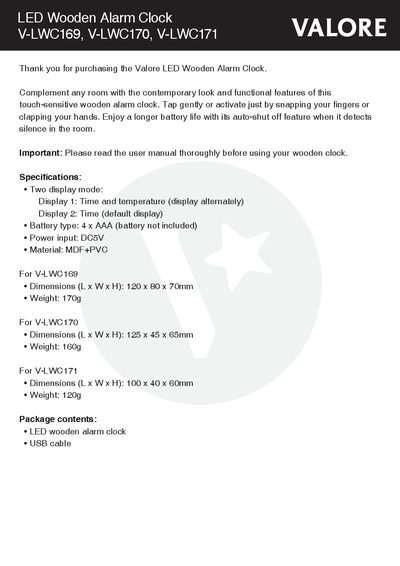
Valore LED Wooden Alarm Clock V-LWC169/V-LWC170/V-LWC171 User Manual
The Valore LED Wooden Alarm Clock combines a modern wooden design with touch‑sensitive controls, offering two display modes (time / temperature) and four levels of brightness. It runs on four AAA batteries (not included) and can be powered via a DC5 V input.
This manual explains how to set the date and time, configure up to three alarms, adjust luminance, use sound control, and reset the device. Safety precautions, warranty information, and technical support contacts are also provided.
Covers: Specifications · Understanding the Product · Start Using the Alarm Clock · Button Functions · Unique Features · Technical Support & Warranty
Sampo PY-Z904EL User Manual
This manual explains how to operate the Sampo PY‑Z904EL, a digital clock with alarm and snooze functions. It covers the basic interface, LCD display, and safety precautions for normal use.
Detailed procedures are given for setting the time, date, and alarm, as well as configuring the snooze and selecting preset melodies. The document also describes how to cancel alarms and return to normal mode after inactivity. This manual is written in Chinese.
Covers: Time Setting Procedure · Date Setting Procedure · Alarm Configuration · Snooze Function · LCD Display Indicators · Safety and Service Information
Sampo PY-Z1107EL Projection Clock User Manual
This manual explains how to install batteries, set the time and date, and configure the alarm and night‑light functions of the PY‑Z1107EL projection clock. It also covers language selection, temperature display, and projection angle adjustment.
Safety guidelines include proper battery handling, avoiding disassembly by non‑professionals, and instructions for turning off power before battery removal. The document lists the dimensions, battery type, and environmental specifications of the device. This manual is written in Chinese.
Covers: Battery · Dimensions · Projection Function · Time and Date Settings · Alarm Settings · Night Light Feature
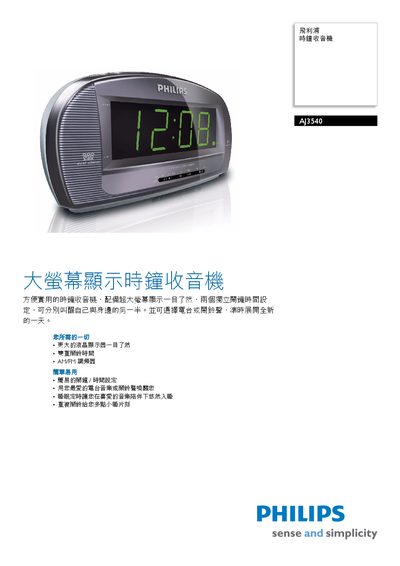
Philips AJ3540/96 Clock Radio User Manual
The Philips AJ3540/96 clock radio features a large LCD display, dual independent alarm times, and an AM/FM tuner, making it easy to read the time and wake up to your favorite radio station or alarm tone. It includes convenient functions such as a sleep timer (up to 1 hour) and a repeat snooze button that re‑alerts every nine minutes.
The device runs on a single 6F22 9 V battery, measures 218 × 106 × 78 mm, and weighs 0.69 kg. Accessories include an AC power cord, user manual, and warranty card. Detailed specifications cover display type, audio system, volume control, and power details. This manual is written in Chinese.
Covers: Features · Specifications · Dimensions · Power Supply · Accessories
Latest Clocks and Timers manuals
Valore LED Wooden Alarm Clock V-LWC169/V-LWC170/V-LWC171 User Manual
User Manual 9 pages · 198 KB · ENUser manual for Valore LED Wooden Alarm Clock models V-LWC169, V-LWC170, and V-LWC171 with setup, operation, and specifications.
Sampo PY-Z904EL User Manual
User Manual 2 pages · 1.7 MB · ZHThe Sampo PY‑Z904EL user manual provides instructions for time, date, alarm settings and basic operation.
Sampo PY-Z1107EL Projection Clock User Manual
User Manual 2 pages · 2.7 MB · ZHThe Sampo PY‑Z1107EL projection clock user manual provides setup, operation, and safety instructions.
Philips AJ3540/96 Clock Radio User Manual
User Manual 2 pages · 1.6 MB · ZHThe Philips AJ3540/96 clock radio user manual provides setup, operation, and feature details for the large‑display alarm clock with AM/FM tuner.
Philips AJL308 clock radio Machine ManualAJL308 AJL308 clock radio Machine Manual
User Manual 3 pages · 720 KB · ZHThe Philips AJL308 clock radio user manual provides operating instructions, features, specifications, and setup details.
Philips AJ3540 Clock Radio Quick Start Guide
Quick Start Guide 2 pages · 247 KB · ENQuick start guide for the Philips AJ3540 clock radio showing power‑on, time/alarm setup and sleep timer usage.
Philips AJ260 Clock Radio Quick Start Guide
Quick Start Guide 2 pages · 2.1 MB · ENThe Philips AJ260 Clock Radio Quick Start Guide shows how to power the unit, set time and alarm, use the radio, and connect the outdoor sensor.
Mengdí Electronics MD890 Series GPS Digital Clock User Manual
User Manual 9 pages · 1.4 MB · ZHThe MD890 series GPS digital clock manual explains features, installation, interface connections, time and timezone settings, and computer synchronization.
Sanyo DMP-P1 Clock Radio User Manual
User Manual 32 pages · 1.8 MB · ENThe Sanyo DMP-P1 clock radio user manual provides setup, safety, operation, and technical information for the iPod docking radio.
Philips DC220 iPhone/iPod Clock Radio Quick Start Guide
Quick Start Guide 2 pages · ZHQuick start guide for the Philips DC220 iPhone/iPod clock radio, covering setup, time/date, alarm and playback functions.
Which document do I need?
User Manual
Day-to-day operation, settings and troubleshooting. Start here if the product is already set up.
Quick Start Guide
The shortest path to a working setup, usually only a few pages.
Questions answered in Clocks and Timers manuals
How do I set the time and date on the alarm clock?
Press and hold the ‘Set’ button for about 3 seconds to enter setting mode, then use the Up/Down buttons to select Year, Month, Date, Hour, and Minute, confirming each with the Set button.
From: Valore LED Wooden Alarm Clock V-LWC169/V-LWC170/V-LWC171 User Manual
How can I adjust the brightness of the LED display?
In Normal mode, press and hold the Up button for about 3 seconds to enter luminance adjustment, then cycle through the four brightness levels (L3 → L2 → L1 → L0).
From: Valore LED Wooden Alarm Clock V-LWC169/V-LWC170/V-LWC171 User Manual
How do I set the time on the PY‑Z904EL?
Press the TIME SET key, then use the ADJ key to adjust hours, minutes, year, month, and day in sequence, confirming each step.
How can I set the alarm time?
Press the ALM SET key, then use the ADJ key to adjust the hour and minute, select a melody, and confirm with the ALM SET key.
What type and how many batteries does the clock use?
It uses four AAA batteries, which are not supplied with the product.
How can I set the alarm time?
Press the MODE key, then the SET key to enter alarm‑setting mode; use the UP/DOWN keys to adjust hour and minute, and confirm with the MODE key.