
Key facts
- Brand
- EXTECH
- Model
- SD500
- Industry
- Industrial
- Documents
- 2
- Languages
- EN
- Last added
- 2012-08-01
Start here
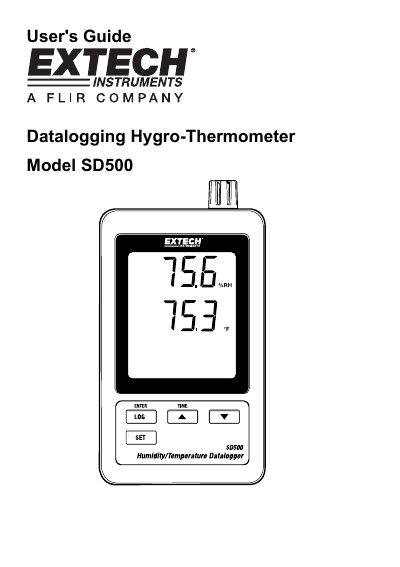
Extech SD500 Datalogging Hygro-Thermometer User's Guide
The Extech SD500 is a datalogging hygro-thermometer designed to measure, display, and store temperature and relative humidity readings. Data is stored on an SD card in Excel format for easy transfer to a PC. The device features an LCD that simultaneously displays both measurements along with date/time stamps.
Read onlineEXTECH SD500 specifications
| Display Size | 60 x 50 mm (2.4 x 2.0") LCD |
|---|---|
| Memory Card Capacity | 1 GB to 16 GB |
| Sampling Time Options | 5/10/30/60/120/300/600 seconds or Auto |
| Operating Temperature Range | 0 to 50°C (32 to 122°F) |
| Power Supply | Six (6) AAA batteries or 9V AC adaptor |
| Weight | 282 g (0.62 lbs.) |
Source: Extech SD500 Datalogging Hygro-Thermometer User's Guide
All EXTECH SD500 documents by type
Day-to-day operation, settings and troubleshooting. Start here if the product is already set up.
Questions answered in these manuals
What is the minimum SD card capacity required?
The SD card should be at least 1GB in capacity.
From: Extech SD500 Datalogging Hygro-Thermometer User's Guide
How do I stop datalogging?
Press the LOGGER button for more than 2 seconds to stop logging and view recorded data.
From: Extech SD500 Datalogging Hygro-Thermometer User's Guide
What is the Extech SD500 used for?
The device monitors and records temperature and humidity values in calibration rooms, offices, cleanrooms, and storage facilities.
From: Extech SD500 Humidity/Temperature Datalogger Product Leaflet
What are the selectable data sampling rates?
The datalogger allows intervals of 5, 10, 30, 60, 120, 300, or 600 seconds, plus an Auto setting.
From: Extech SD500 Humidity/Temperature Datalogger Product Leaflet