
The Extech 45170 user guide explains how to operate the 4‑in‑1 humidity, temperature, airflow and lux meter, including setup, measurement modes, and…
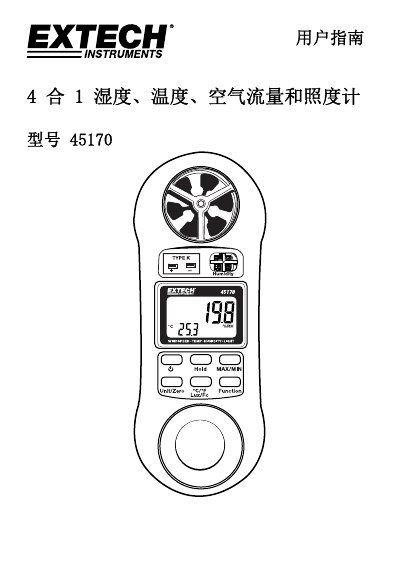
This guide introduces the Extech 45170 4‑in‑1 instrument, which combines humidity, temperature, airflow and lux measurement in a single handheld device. It describes the instrument layout, power operation, and safety considerations for reliable use.
The manual covers each measurement mode—wind speed, relative humidity, temperature (thermocouple or RTD), and illumination—detailing how to select units, record values, use the MIN/MAX and HOLD functions, and understand the auto‑power‑off feature. Technical specifications such as range, resolution, accuracy, and physical dimensions are provided for reference. This manual is written in Chinese.
| Wind speed range (mph) | 0.9 – 67.0 mph |
|---|---|
| Wind speed range (km/h) | 1.4 – 108.0 km/h |
| Temperature range (°F) | 32 – 122 °F |
| Relative humidity range | 10.0 – 95.0 % |
| Lux range (auto‑range) | 0 – 2,200 lux |
| Display type | 4‑digit dual LCD |
| Dimensions | 156 × 60 × 33 mm |
Press the POWER button; the instrument powers up and performs a brief self‑test.
Press the MAX/MIN button once to start recording; press it again to view the maximum, and a third press to view the minimum.
Press the Unit/Zero button and select the desired unit (e.g., MPH, km/h, °C/°F, Lux/Ft‑cd).
If no button is pressed for 10 minutes, the meter automatically shuts off (unless in Min/Max mode).