
Key facts
- Brand
- EXTECH
- Model
- EC500
- Industry
- Industrial
- Documents
- 5
- Languages
- ES · EN
- Last added
- 2023-10-18
Start here
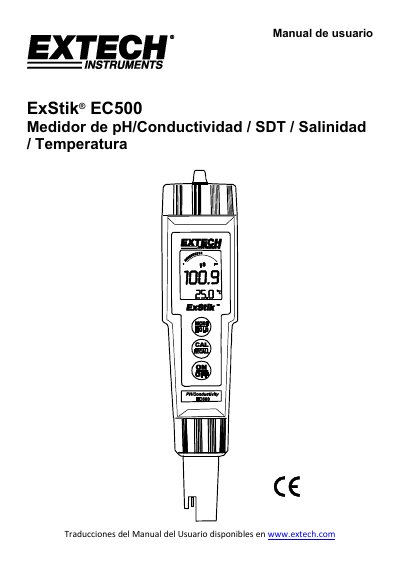
Extech EC500 pH/Conductivity/SDT/Salinity/Temperature Meter User Manual
This manual provides instructions for operating the ExStik® EC500 meter, including calibration procedures, measurement modes, and battery management. It covers pH, conductivity, salinity, and temperature measurements with step-by-step guidance for setup and maintenance. The device uses four CR2032 lithium batteries and features automatic shutdown after 10 minutes of inactivity to conserve power.
The manual includes details on electrode care, calibration with standard solutions, and how to adjust units and settings. It also explains how to store and recall measurements, change temperature units, and reset calibration data. Users are advised to recalibrate before first use or after storage and to maintain electrode hydration for accurate readings. This manual is written in Spanish.
EXTECH EC500 specifications
| Battery Type | Four (4) CR2032 Lithium |
|---|---|
| Automatic Shutdown | After 10 minutes of inactivity |
| Calibration Points | 1, 2, or 3 point pH calibration |
| Temperature Units | °C or °F |
| Conductivity Scale Factor | 0.4 to 1.0 |
Source: Extech EC500 pH/Conductivity/SDT/Salinity/Temperature Meter User Manual
All EXTECH EC500 documents by type
Day-to-day operation, settings and troubleshooting. Start here if the product is already set up.
- Extech EC500 pH/Conductivity/SDT/Salinity/Temperature Meter User Manual 13 p
- EXTECH ExStik EC500 pH/Conductivity TDS Salinity Temperature Meter user manual 1 p
- EXTECH EC500 ..........Waterproof ExStik II pH/Conductivity Meter EC510 ..........Waterproof ExStik II pH/Conductivity Meter Kit EC505 ..........Spare ExStik II pH/Conductivity cell mo 12 p
- ExStik EC500 pH/Conductivity/TDS/Salinity Meter User's Guide 13 p
Questions answered in these manuals
What should I do if the electrode indicator shows 'RENEW'?
Clean and recalibrate the electrode. If the indicator persists, replace the electrode as it no longer meets specifications.
From: Extech EC500 pH/Conductivity/SDT/Salinity/Temperature Meter User Manual
What type of batteries does the EC500 use?
The EC500 uses four CR2032 lithium ion batteries.
From: Extech EC500 pH/Conductivity/SDT/Salinity/Temperature Meter User Manual
How many measurements can be stored?
The device allows you to store and recall up to 50 measurements.
From: EXTECH ExStik EC500 pH/Conductivity TDS Salinity Temperature Meter user manual
Does the meter have a built-in stand?
Yes, it comes complete with a built-in stand.
From: EXTECH ExStik EC500 pH/Conductivity TDS Salinity Temperature Meter user manual
How do I power the meter on or off?
Press and hold the power button for at least 1.5 seconds to turn the meter on or off.
What thermocouple types are supported?
The meter supports Type J and Type K thermocouples for temperature measurement.