
Key facts
- Brand
- Analog Devices
- Model
- ADP5034
- Category
- Power Management
- Industry
- Electronics
- Documents
- 3
- Languages
- EN
- Last added
- 2026-10-21
Start here
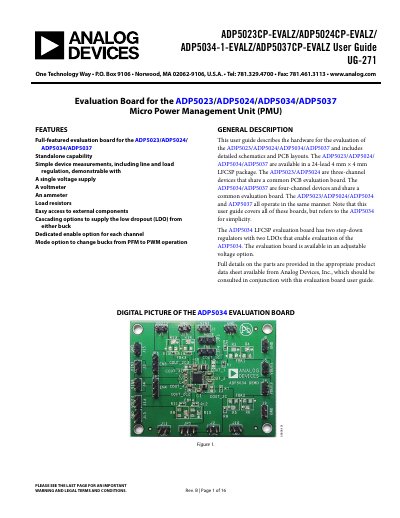
Analog Devices ADP5023/ADP5024/ADP5034/ADP5037 Evaluation Board User Guide
This document provides a comprehensive user guide for the evaluation boards of the ADP5023, ADP5024, ADP5034, and ADP5037 Micro Power Management Units (PMU). It details the hardware features, including standalone capability and cascading options, along with general descriptions of the devices available in a 24-lead LFCSP package. The guide covers both three-channel and four-channel configurations sharing common PCB evaluation boards.
Read onlineAnalog Devices ADP5034 specifications
| Main Input Voltage Range | 2.3 V to 5.5 V |
|---|---|
| Buck Regulator Output Current | 1200 mA |
| LDO Output Current | 300 mA |
| Switching Frequency | 3 MHz |
| Output Voltage Accuracy | ±1.8% |
Source: Analog Devices ADP5034 Dual 3 MHz Buck Regulator with LDOs Data Sheet
All Analog Devices ADP5034 documents by type
Ratings, dimensions and ordering codes, for selection and design work.
Day-to-day operation, settings and troubleshooting. Start here if the product is already set up.
Questions answered in these manuals
What is the output voltage range for the buck regulators?
The BUCK 1/BUCK 2 output voltage ranges from 0.8 V to 3.8 V.
From: Analog Devices ADP5034 Dual 3 MHz Buck Regulator with LDOs Data Sheet
What is the input supply voltage range for the LDOs?
The LDO1 /LDO 2 input supply voltage ranges from 1.7 V to 5.5 V.
From: Analog Devices ADP5034 Dual 3 MHz Buck Regulator with LDOs Data Sheet
How do I enable a specific channel on the evaluation board?
Each channel has its own enable pin which must be pulled high to enable that channel.
From: Analog Devices ADP5023/ADP5024/ADP5034/ADP5037 Evaluation Board User Guide
How do I set the buck output voltage?
The buck output voltage is set through external resistor dividers connected to the feedback pin.
From: Analog Devices ADP5023/ADP5024/ADP5034/ADP5037 Evaluation Board User Guide