
Key facts
- Brand
- Agilent
- Model
- G1390A
- Documents
- 2
- Languages
- EN
- Last added
- 2012-06-08
Start here
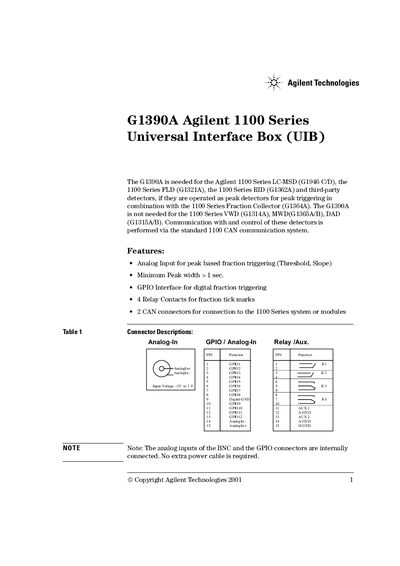
Agilent G1390A Agilent 1100 Series Universal Interface Box (UIB) Manual
The Agilent G1390A Universal Interface Box (UIB) is required for specific Agilent 1100 Series detectors when operated as peak detectors in combination with the Fraction Collector. It provides analog input for peak-based fraction triggering, a GPIO interface for digital triggering, and four relay contacts for tick marks.
The document outlines the instrument's status indicators, which show conditions such as prerun (off), run mode (green), not-ready (yellow), or error (red). It also details technical specifications including dimensions, power requirements, signal characteristics, and lists compatible cable part numbers.
Agilent G1390A specifications
| Dimensions | 100mm*140mm*30mm |
|---|---|
| Input Voltage (Power) | 22V to 25V DC |
| Input Current | < 100mA |
Source: Agilent G1390A Agilent 1100 Series Universal Interface Box (UIB) Manual
All Agilent G1390A documents by type
Day-to-day operation, settings and troubleshooting. Start here if the product is already set up.
Disassembly, diagnostics and part numbers, for repair.
Questions answered in these manuals
When is the G1390A needed?
It is needed for the Agilent 1100 Series LC-MSD, FLD, RID, and third-party detectors if operated as peak detectors with the Fraction Collector.
From: Agilent G1390A Agilent 1100 Series Universal Interface Box (UIB) Manual
What does a yellow status indicator mean?
It indicates a not-ready condition, such as waiting for a specific condition to be reached or completed.
From: Agilent G1390A Agilent 1100 Series Universal Interface Box (UIB) Manual
How often should the tubing be inspected?
Regularly inspect the tubings and exchange them if they are worn out or show visible signs of damage.
From: Agilent G1390A Universal Interface Box Inlet and Valve to Needle Tubing Replacement Guide
How often should the inlet and waste tubing be replaced?
The tubing should typically be exchanged once every year.
From: Agilent G1390A Universal Interface Box Inlet and Valve to Needle Tubing Replacement Guide