
Key facts
- Brand
- Agilent
- Model
- 6410 Triple Quad LC
- Documents
- 9
- Languages
- DE · EN
- Last added
- 2012-06-08
Start here
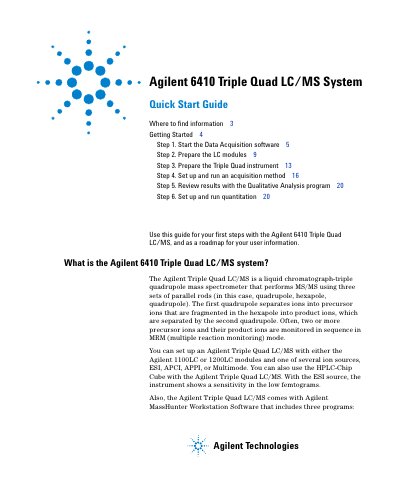
Agilent 6410 Triple Quad LC/MS Quick Start Guide
This guide walks users through initial setup and operation of the Agilent 6410 Triple Quad LC/MS system. It covers starting the Data Acquisition software, preparing LC modules and the instrument, setting up acquisition methods, and reviewing results with Qualitative Analysis. The guide also explains how to configure and run quantitation using the Quantitative Analysis program. It references additional manuals for deeper understanding and troubleshooting.
Read onlineAgilent 6410 Triple Quad LC specifications
| Weight | 2.27 kg / 5 lbs. |
|---|---|
| Power Source | 60 VA |
| Operating Temperature | 15°C to 35°C (59°F to 95°F) |
| Operating Humidity | 15% to 95% (non condensing at 35°C) |
| Operating Altitude | < 2300 meters / < 7500 feet |
| Voltage | 100 V to 240 V |
| Current | 0.85 A to 0.40 A |
| Frequency | 50 Hz / 60 Hz |
| Voltage (Secondary) | 12 V |
| Current (Secondary) | 3.3 A |
Source: Agilent G1978B Multimode Source for 6410 Triple Quad LC/MS User Guide
All Agilent 6410 Triple Quad LC documents by type
Day-to-day operation, settings and troubleshooting. Start here if the product is already set up.
- Agilent G1978B Multimode Ion Source Setup and Maintenance Manual for 6410 Triple Quad LC/MS 34 p
- Agilent G1978B Multimode Source for 6410 Triple Quad LC/MS User Guide 61 p
- Agilent 6410 Triple Quad LC/MS Familiarization Guide 109 p
- Agilent G1978B Multimode Source for 6410 Triple Quad LC/MS User Guide 62 p
- Agilent 6410 Triple Quad LC/MS Concepts Guide 54 p
- Agilent 6410 Triple Quad LC/MS Concepts Guide 80 p
- Agilent 6410 Triple Quad LC/MS Data Acquisition Familiarization Guide 34 p
- Agilent 6410 Triple Quad LC/MS Familiarization Guide 34 p
The shortest path to a working setup, usually only a few pages.
Questions answered in these manuals
Who is authorized to install the multimode ion source?
The multimode ion source must be installed by an Agilent customer service technician.
From: Agilent G1978B Multimode Ion Source Setup and Maintenance Manual for 6410 Triple Quad LC/MS
What kit is required before using the multimode ion source?
The Multimode Enablement Kit G1978-60451 must be installed prior to use.
From: Agilent G1978B Multimode Ion Source Setup and Maintenance Manual for 6410 Triple Quad LC/MS
How do I set up a method to use the multimode source?
In MassHunter software, change the Context to Acquisition, set Ion source to MMI, choose an ionization mode from the Ion Mode list, set source conditions, and save the method.
From: Agilent G1978B Multimode Source for 6410 Triple Quad LC/MS User Guide
What safety precautions should I take when handling the multimode source?
Do not touch hot parts like the capillary or vaporizer sensor. Avoid touching sharp components like the nebulizer needle or APCI corona needle. Never bypass the diverter valve. Use extreme care when working on recently turned-off instruments.
From: Agilent G1978B Multimode Source for 6410 Triple Quad LC/MS User Guide
What software version is this guide valid for?
This guide is valid for the B.01.03 or later revision of the Agilent MassHunter software for the Agilent 6410 Triple Quad LC/MS, until superseded.
What equipment is required to use this guide?
The guide assumes the Agilent MassHunter Workstation Acquisition and Quantitative Analysis applications have been installed, and the LC modules and the 6410 Triple Quad LC/MS have been configured.