
Key facts
- Brand
- Agilent
- Model
- 5973N
- Documents
- 19
- Languages
- IT · DE · EN
- Last added
- 2012-07-06
Start here
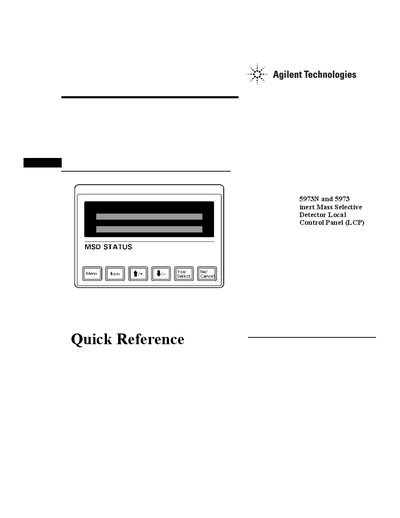
Agilent 5973 Series MSD Local Control Panel Quick Reference Guide
This document provides instructions for using the Local Control Panel (LCP) on Agilent 5973N and 5973 inert Mass Selective Detectors. The LCP allows users to determine instrument readiness, access ChemStation software functions like tuning and starting runs, and manage system status without needing a direct connection to the main computer.
The guide details two modes of operation: Status mode for viewing current information and Menu mode for initiating actions such as running methods or sequences. It covers specific procedures for querying messages, performing autotunes, starting runs and sequences, preparing to vent the instrument, pumping down the system, rebooting the controller, and checking network status.
Agilent 5973N specifications
| Gas Chromatograph | Agilent 6890Plus |
|---|---|
| Mass Spectrometer | Agilent 5973N, MSD, CL-Option |
| Injection Volume | 1uL, Pulsed Pressure Splitless |
| NCI Moderator Gas | Methan |
| Ion Source Temperature | 150°C |
Source: Agilent 6890Plus/5973N Nitrofen Determination Application Note
All Agilent 5973N documents by type
How to use the product for one specific task, with worked examples.
- Agilent 6890Plus/5973N Nitrofen Determination Application Note 4 p
- Agilent 5973N MSD Ammonia Reagent Gas Implementation Guide 4 p
- Agilent 5973Network Series MSDs GC Column selection pumping considerations for Electron Chemical Ionization MSD operation Manual 2 p
- Agilent 5973N Performance electronics: Considerations for GC-MS methods in scan selected-ion monitoring modes Manual 8 p
- Agilent 5973 Network MSD Ionization Methods Application Note 8 p
- Agilent 5973N Inert MSD Application Note: Using Higher Ion Source Temperatures 8 p
- Agilent 6890/5973N Fast Screening of PCB Congeners Application Note 4 p
- Use of GC/MSD for Determination of Volatile Sulfur: Application in Natural Gas Fuel Cell Systems 10 p
- Agilent GC/MSD Deconvolution Reporting Software Application Note 6 p
- Agilent 6890N/5973N Rapid Pesticide Analysis Application Note 12 p
- Agilent 5973N MSD Analysis of Monochloropropanediol Application Note 4 p
- Agilent 6890/5973N GC/MSD Fast Screening Application Note Part II 4 p
- Agilent 6890/5973N GC/MSD Pesticide Screening Application Note 4 p
Ratings, dimensions and ordering codes, for selection and design work.
The shortest path to a working setup, usually only a few pages.
Questions answered in these manuals
What is the maximum number of instruments that can be controlled simultaneously using the ChemStation software?
The system allows control of up to two mass selective detectors, four gas chromatographs, or a combination of both for a maximum of four instruments.
From: Agilent 5973 Network Mass Selective Detector Product Leaflet
What is the maximum number of samples that can be analyzed automatically using the optional sampler?
The optional sampler can automatically analyze up to 100 samples.
From: Agilent 5973 Network Mass Selective Detector Product Leaflet
Which detection mode is preferred for Nitrofen?
Negative Chemical Ionization (NCI) mode is preferred because Nitrofen shows high electron affinity.
From: Agilent 6890Plus/5973N Nitrofen Determination Application Note
What is the detection limit for Nitrofen in a turkey meat matrix under the specified NCI SIM conditions?
The detection limit for Nitrofen in the turkey meat matrix is 200 fg.
From: Agilent 6890Plus/5973N Nitrofen Determination Application Note
What is the minimum purity required for ammonia reagent gas?
The ammonia must be of the highest purity available, certainly no less than 99.998% pure.
From: Agilent 5973N MSD Ammonia Reagent Gas Implementation Guide
What are the critical contaminants to avoid in ammonia gas?
Water and oxygen are the most common and critical contaminants, which should be present at no more than 5 ppm.
From: Agilent 5973N MSD Ammonia Reagent Gas Implementation Guide