
Key facts
- Brand
- Agilent
- Model
- VnmrJ 3.1
- Documents
- 3
- Languages
- FR · EN
- Last added
- 2012-07-05
Start here
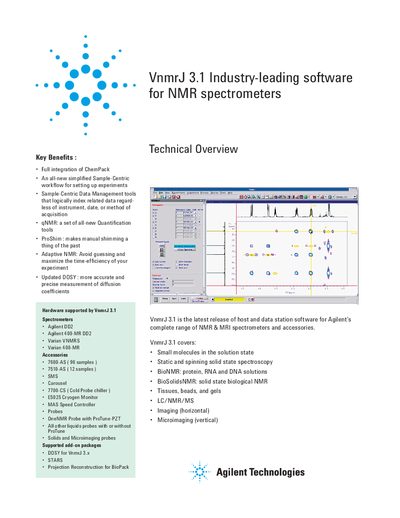
Agilent VnmrJ 3.1 NMR Software User Guide
VnmrJ 3.1 is an industry-leading host and data station software solution designed for Agilent's complete range of NMR and MRI spectrometers and accessories. It features a new generation acquisition engine integrated with ChemPack, offering a simplified sample-centric workflow that logically indexes related data regardless of the instrument or date of acquisition.
The software includes advanced tools such as qNMR for quantification without internal standards, ProShim for automated shimming, and Adaptive NMR to maximize time efficiency. It supports various applications including small molecules, solid-state spectroscopy, bio-NMR, imaging, and LC/NMR/MS.
All Agilent VnmrJ 3.1 documents by type
How to use the product for one specific task, with worked examples.
Day-to-day operation, settings and troubleshooting. Start here if the product is already set up.
Questions answered in these manuals
What is the minimum required signal-to-noise ratio for accurate quantification?
A signal-to-noise ratio of at least 150/1 is necessary to reduce integration errors to less than 1%.
What signal-to-noise ratio is required to reduce integration errors to less than 1%?
A signal-to-noise ratio of at least 150/1 is necessary.
What is required to enable Adaptive NMR?
A one-time calibration of a Proton spectrum of known concentration stored in the probe file is all that is needed.
What does qNMR require for quantification?
It relies on the stability of the console architecture and requires only a one-time calibration of a compound of known concentration.
What is the benefit of multi-frequency homonuclear decoupling?
It allows simultaneous irradiation of multiple multiplets in one experiment, which takes less time than acquiring an array of spectra and simplifies the resulting spectrum for direct interpretation.
From: Agilent VnmrJ 3.1 Multi-frequency Homonuclear Decoupling Application Note
How does the software handle multiple multiplet selection?
The user uses graphics cursors to bracket regions and presses the 'Select' button; the Pbox algorithm then constructs a single multi-frequency shape file on the fly.
From: Agilent VnmrJ 3.1 Multi-frequency Homonuclear Decoupling Application Note