
Key facts
Start here
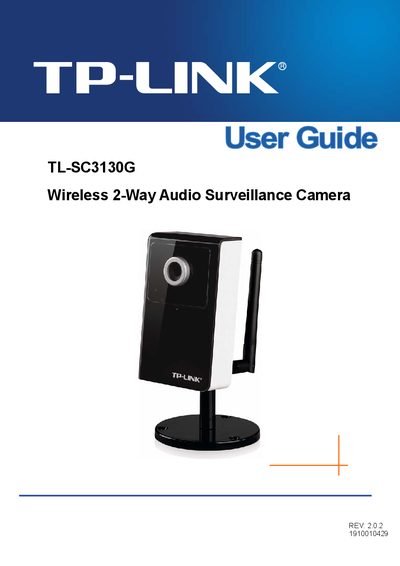
TP-Link TL-SC3130G Wireless 2-Way Audio Surveillance Camera User Guide
The TL‑SC3130G is a wireless IP camera with two‑way audio, designed for indoor surveillance. The guide covers everything from unpacking the package to configuring network settings, viewing live video, and using mobile devices.
Key sections include minimum system requirements, physical overview of the camera, web‑browser and mobile‑phone access, menu configuration, advanced settings such as motion detection and FTP, and a FAQ that addresses common issues like forgotten passwords and image quality.
TP-Link TL-SC3130G specifications
| Wireless data rate | 54 Mbps |
|---|---|
| Image sensor | 1/4" progressive scan CMOS |
| Frame rate | up to 30 fps at VGA resolution |
| Video streams | MPEG‑4/MJPEG dual streams |
| Audio compression | G.711 PCM, 8 kHz, 64 kbit/s |
| Power supply | 5 V DC, 2 A |
| Operating temperature | 0 °C ~ 40 °C |
| Dimensions (HxWxD) | 3.7 × 2.7 × 1.2 in (96 × 58 × 31 mm) |
Source: TP-Link TL-SC3130G Wireless 2-Way Audio Surveillance Camera User Guide
All TP-Link TL-SC3130G documents by type
Day-to-day operation, settings and troubleshooting. Start here if the product is already set up.
Questions answered in these manuals
How many cameras can the bundled management software handle?
The bundled management software can accommodate up to 16 cameras at the same time.
From: TP-Link TL-SC3130G Wireless 2-Way Audio Surveillance Camera User Guide
What audio compression format does the camera use?
The camera uses G.711 PCM audio compression at 8 kHz with a bitrate of 64 kbit/s.
From: TP-Link TL-SC3130G Wireless 2-Way Audio Surveillance Camera User Guide
Why can’t I view the image from the web browser?
Use a browser that supports ActiveX (Internet Explorer) or JavaScript (Firefox, Safari) and install the required ActiveX or JavaScript plug‑ins.
From: TP-Link TL-SC3130G Wireless 2-Way Audio Surveillance Camera User Guide
If the image is blurry, what can I do?
Adjust the camera’s focus by rotating the lens focus ring.
From: TP-Link TL-SC3130G Wireless 2-Way Audio Surveillance Camera User Guide