
The TP-LINK TD-W8901G/TD-W8901GB 54M Wireless ADSL2+ Router is a 3-in-1 device that combines the function of a high-speed DSL modem, wireless G access point, and 4-port Ethernet router. It supports the latest ADSL2/2+ standards to provide higher performance (up to 24Mbps down-stream and 3.5Mbps upstream) and longer reach from your Internet Service Provider’s (ISP) Digital Subscriber Line Access Multiplexer (DSLAM).
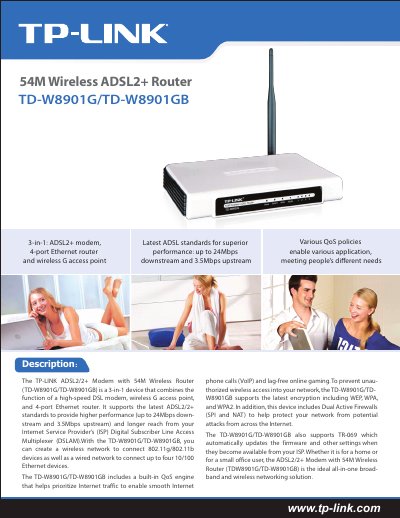
The TP-Link TD-W8901G/TD-W8901GB is a 3‑in‑1 device that combines an ADSL2+/ADSL2‑ modem, a 54 Mbps wireless G access point, and a four‑port Ethernet router, designed for home or small‑office use.
The guide walks you through the setup wizard, DHCP, UPnP, QoS policies, dual active firewalls, VPN pass‑through, and wireless security options, and includes full technical specifications such as data rates, ports, dimensions, and operating conditions.
| Downstream data rate | up to 24 Mbps |
|---|---|
| Upstream data rate | up to 3.5 Mbps |
| Ethernet ports | 4 (10/100 Mbps) |
| RJ11 ports | 1 |
| Dimensions | 7.9 × 5.5 × 1.1 in (200 × 140 × 28 mm) |
| Operating temperature | 0 °C ~ 40 °C (32 °F ~ 104 °F) |
| Storage temperature | -40 °C ~ 70 °C (-40 °F ~ 158 °F) |
It provides four 10/100 Mbps Ethernet ports.
The router supports 64/128‑bit WEP, WPA, WPA2, and WPA‑PSK/WPA2‑PSK authentication with TKIP/AES encryption.
The device can achieve up to 24 Mbps downstream.
Yes, it can be administered and upgraded remotely over the Internet.