
Philips VTR8400 VoiceTracer audio and video recorder is a one-click recording, support long distance recording, support multi-scene recording recorder, also support the local recording file editing function, with high-quality speakers, whether playing recording files or music files, can enjoy the immersive experience.
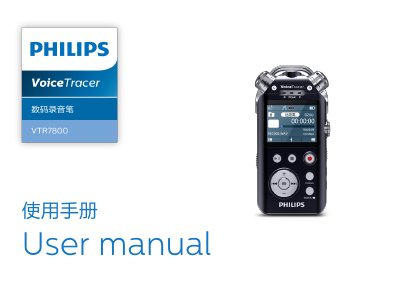
This user manual covers how to operate the Philips VTR840 VoiceTracer audio and video recorder, including power on/off, charging, connecting to a computer, recording in various modes, playback features, system settings, and troubleshooting. It also details technical specifications such as storage, dimensions, supported operating systems, and recording formats.
The device supports high-quality audio recording in MP3 and WAV formats, including 96kHz/24bit PCM, and features USB 2.0 connectivity for easy file transfer and backup.
| Storage | NAND Flash, 8GB or 16GB |
|---|---|
| Dimensions | 126×59.5×21.5 mm |
| Weight | 179g (with battery) |
| Operating Systems | Windows 7/8/10/Vista/XP/2000, Mac OS X, Linux |
| Recording Formats | MP3 44kHz, PCM 96kHz/24bit, PCM 96kHz/16bit, PCM 48kHz/16bit, PCM 32kHz/16bit |
| Operating Humidity | 10% – 90% (non-condensing) |
To turn on, press and hold the power key down for 2-3 seconds. To turn off, press and hold the power key down for 2-3 seconds while the device is on.
It supports MP3 44kHz, PCM 96kHz/24bit, PCM 96kHz/16bit, PCM 48kHz/16bit, and PCM 32kHz/16bit formats.
With 128kbps MP3 recording, it can record for approximately 136 hours. With 96kHz/16bit PCM, it can record for approximately 6 hours.
Yes, it can be used as a USB 2.0 storage device for easy file transfer and backup without needing additional software.