
The Philips VTR6200 digital voice recorder user manual provides setup, recording, playback, and system settings instructions.
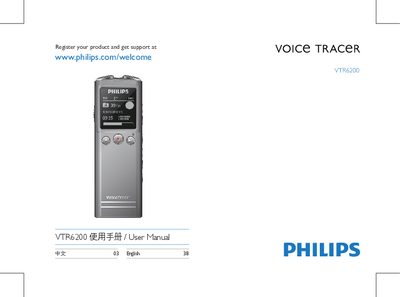
The VTR6200 is a compact digital voice recorder with built‑in microphone, TF‑card slot, USB interface and multiple recording modes, including PCM, MP3 and noise‑cut. It offers a backlit display, key lock (HOLD) function, and can also serve as a USB storage device.
This manual explains how to insert batteries, power the device on and off, lock the keys, record and play audio, use external microphones, configure system settings, and troubleshoot common issues. Technical specifications and regulatory information are listed at the end. This manual is written in Chinese.
| Internal storage type | NAND Flash |
|---|---|
| Internal storage capacity | 8 GB |
| Dimensions (W×H×D) | 36 × 108.0 × 13 mm |
| Weight (with battery) | 32.4 g |
| Operating temperature | 5 °C – 45 °C |
| Operating humidity | 10 % – 90 % (no condensation) |
| USB interface | USB |
| Supported operating systems | Windows, macOS, Linux |
| MP3 recording format (standard) | 32 kbps |
Slide the power key down for 2–3 seconds; the device will power on or off and display the PHILIPS power icon.
Press the record key briefly to start recording; press the stop key to end and save the recording.
Push the power key upward to the lock position; all keys except the record key are disabled and a lock icon briefly appears.
Remove the battery, wait a moment, then re‑insert it. If the device was running, removing the battery may cause data loss.