
Philips BDP3100 User Guide

This document is a user manual for Philips BDP3100 MK II_93, which describes the features and functions of the product, including video setup, audio setup, network setup, preference setup, etc.
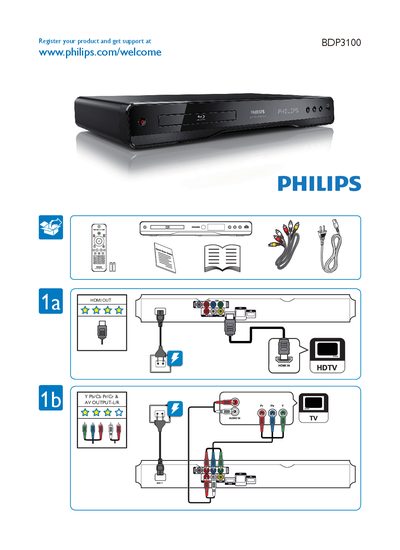

Philips BDP3100 User Guide - cover page
Brand
Philips
Category
Player
Document type
User Manual
Language
English
Pages
2
File format
PDF
File size
1.6 MB
Published
26 March, 2012
Updated
28 September, 2023
Model
BDP3100
MD5 checksum
2E9FDD996392A7C75361629D5D9279C3

About this manual

This guide helps you register your Philips BDP3100 and access support via the Philips website. It includes basic information on product registration and copyright details.

The manual outlines the on‑screen menus for video, audio, network, disc, and parental control settings, as well as advanced options such as password changes and screen saver configuration.

What's inside

  • Register your product
  • Video & AV Output
  • Video Setup Menu
  • Audio Setup
  • Network Setup
  • Disc Menu
  • Easylink Setup
  • Parental Control
  • Screen Saver
  • Advanced Setup – Change Password

Frequently asked questions

How can I register my Philips BDP3100?

Visit www.philips.com/welcome and follow the registration instructions for the BDP3100.

Where can I change the password on the BDP3100?

The password can be changed in the Advanced Setup menu under Change Password.

Which menu allows me to adjust video language settings?

Video language settings are found in the Video Setup Menu.

Download PDF (1.6 MB)

More Philips Manuals


View all Philips manuals →