
Key facts
- Brand
- Philips
- Model
- AJ260
- Industry
- Electronics
- Documents
- 2
- Languages
- ZH · EN
- Last added
- 2012-03-27
Start here
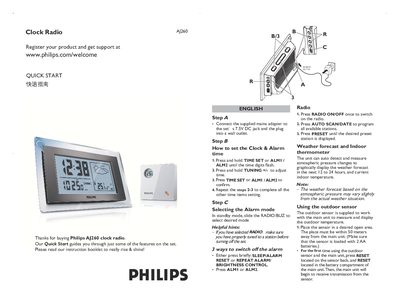
Philips AJ260 Clock Radio Quick Start Guide
This Quick Start Guide introduces the basic operation of the Philips AJ260 clock radio. It covers connecting the mains adapter, setting the clock and alarm, selecting alarm modes, and using the built‑in radio.
The guide also explains how the unit displays indoor temperature and weather forecasts, and how to install and update the optional outdoor temperature sensor.
Philips AJ260 specifications
| Adapter Input Voltage | 220‑230 V, 50 Hz, 30 mA |
|---|---|
| Adapter Output Voltage | 7.5 V DC, 250 mA |
| Main Unit Batteries | 4 × AAA |
| Sensor Batteries | 2 × AA |
| Sensor Wireless Range | up to 50 m |
| Temperature Unit Switch | °C/°F toggle |
All Philips AJ260 documents by type
Day-to-day operation, settings and troubleshooting. Start here if the product is already set up.
The shortest path to a working setup, usually only a few pages.
Questions answered in these manuals
How do I set the time on the AJ260?
Press and hold the TIME SET key for about 2 seconds, then use the TUNING +/- keys to adjust hours and minutes, and press TIME SET again to confirm.
How can I improve FM radio reception?
Fully extend the tail antenna to achieve the best FM signal reception.
How do I set the clock and alarm time?
Press and hold the TIME SET or ALM1/ALM2 key until the digits flash, adjust with TUNING +/- and press TIME SET or ALM1/ALM2 again to confirm.
How do I update the outdoor temperature reading?
Press and hold the AUTO SCAN/DATE button for about 5 seconds to refresh the outdoor sensor temperature.