
Key facts
- Brand
- Philips
- Model
- AJL308
- Documents
- 2
- Languages
- ZH
- Last added
- 2012-01-05
Start here
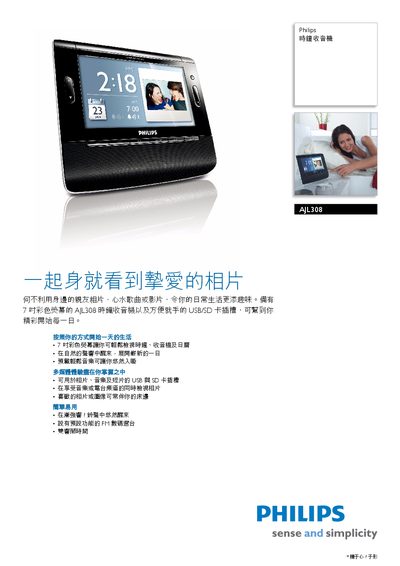
Philips AJL308 clock radio Machine ManualAJL308 AJL308 clock radio Machine Manual
The AJL308 clock radio features a 7‑inch color LCD display, USB and SD card slots for music, photos and video playback, and a gentle wake alarm with pre‑loaded nature sounds. The device is designed for easy viewing and use, even for users with limited vision.
The manual explains how to navigate the menu, set alarms, use the FM radio, and connect accessories. It also lists technical specifications such as power requirements, speaker type, supported audio/video formats, and physical dimensions. This manual is written in Chinese.
Philips AJL308 specifications
| Display size | 7‑inch color LCD |
|---|---|
| Power input | 9 V DC |
| Speaker type | Bass‑reflex speaker system |
| Output power | 2 × 0.6 W RMS |
| Supported audio formats | MP3, WMA |
| Supported video formats | DivX, MPEG‑4 |
| Dimensions | 208.5 × 168.5 × 91.2 mm |
| Contrast ratio | 300:1 |
| Response time | 30 ms |
Source: Philips AJL308 clock radio Machine ManualAJL308 AJL308 clock radio Machine Manual
All Philips AJL308 documents by type
Day-to-day operation, settings and troubleshooting. Start here if the product is already set up.
Questions answered in these manuals
What audio formats are supported?
The clock radio supports MP3 and WMA audio files.
From: Philips AJL308 clock radio Machine ManualAJL308 AJL308 clock radio Machine Manual
What power source does the device require?
It operates from a 9 V DC power input.
From: Philips AJL308 clock radio Machine ManualAJL308 AJL308 clock radio Machine Manual
How do I set the time and date on the AJL308?
Press MENU, select Clock, then choose Time Set and Date, and confirm each step with OK.
How can I configure the alarms?
From the menu, select Alarm 1 or Alarm 2, set the hour and minute, and confirm with OK.