
Key facts
- Brand
- Panasonic
- Model
- BL-C230
- Industry
- Electronics
- Documents
- 3
- Languages
- EN · ZH
- Last added
- 2012-05-03
Start here
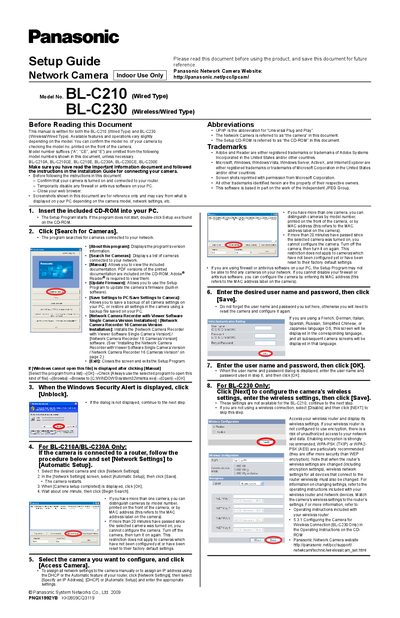
Panasonic BL-C210 / BL-C230 Network Camera Installation Guide
The guide explains how to start the Setup Program from the included CD‑ROM, locate your camera on the network, and configure basic network settings. It covers both the wired BL‑C210 and the wireless/wired BL‑C230, showing how to use Automatic Setup, assign IP addresses, and update firmware.
Further sections describe wireless configuration for the BL‑C230, date and time settings, Internet access with UPnP and Viewnetcam.com registration, and installation of the optional Network Camera Recorder software. Troubleshooting tips are provided for common connection issues.
Panasonic BL-C230 specifications
| Model (Wired) | BL-C210 |
|---|---|
| Model (Wireless/Wired) | BL-C230 |
| Supported network protocol | UPnP (Universal Plug and Play) |
| Firmware update | Available via Setup Program |
Source: Panasonic BL-C210 / BL-C230 Network Camera Installation Guide
All Panasonic BL-C230 documents by type
Mounting, wiring and first power-up. Read it before the hardware goes in.
Questions answered in these manuals
How do I start the Setup Program?
Insert the included CD‑ROM into your PC; the Setup Program starts automatically, or you can double‑click Setup.exe on the CD.
From: Panasonic BL-C210 / BL-C230 Network Camera Installation Guide
How do I set up wireless settings for the BL‑C230?
After selecting the BL‑C230, click Next, enter the wireless settings, and click Save. If you are not using wireless, select Disable and click Next.
From: Panasonic BL-C210 / BL-C230 Network Camera Installation Guide
How can I configure wireless settings for the BL‑C230?
Select the camera, click "Network Settings", choose "Wireless", enter the wireless password, and click "Save".
How do I set the camera’s date and time?
Open the Settings tab, select "Date & Time", adjust the values, and click "Save".