
Key facts
- Brand
- Panasonic
- Model
- FP7
- Category
- Automation control Equipment
- Industry
- Industrial
- Documents
- 25
- Languages
- EN · ZH
- Last added
- 2026-10-22
Start here
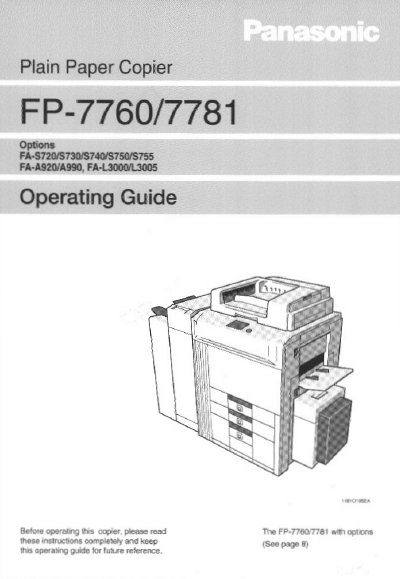
Panasonic FP-7760/7781 Plain Paper Copier Operating Guide
This document is the Operating Guide for the Panasonic FP-7760/7781 plain paper copier. It provides instructions on safety, installation, and how to operate the device using the control panel and touch panel. The guide details various copying functions, including zoom, density adjustment, and finishing options like sorting and stapling.
Read onlinePanasonic FP7 specifications
| Maximum EtherNet/IP connections | 256 connections (including I/O map connections) |
|---|---|
| Maximum Ethernet connections | 216 connections |
| Total connection limit | 272 connections |
Source: Panasonic FP7 EtherNet/IP Communication Function User Manual
All Panasonic FP7 documents by type
Day-to-day operation, settings and troubleshooting. Start here if the product is already set up.
- Panasonic FP7 EtherNet/IP Communication Function User Manual 154 p
- Panasonic FP7 Series Communication Unit User Manual 139 p
- Panasonic DMC-FP7/FP5 Digital Camera Owner's Manual 137 p
- Panasonic DMC-FP5/FP7 Digital Camera Owner's Manual 36 p
- Panasonic FP-7760/7781 Plain Paper Copier Operating Guide 160 p
- Panasonic FP-7742/7750 Copier Operating Guide 64 p
- Panasonic FP-7735MX/7742/7750 Plain Paper Copier Operating Guide 64 p
- Panasonic FP-7718/7722/7728/7735 Copier Operating Instructions 52 p
- Panasonic FP-7713/7715 Plain Paper Copier Operating Instructions 24 p
- Panasonic FP-7181 Plain Paper Copier Operating Instructions 130 p
- Panasonic KX-FP790 Manual 84 p
- Panasonic KX-FP711TW Fax Machine User Manual 52 p
- Panasonic KX-FP709CNFax Manual(1) 2 p
- Panasonic KX-FP709CN Fax Machine User Manual 48 p
- Panasonic KX-FP7006CN Fax Machine User Manual 32 p
- Panasonic KX-FP7009CN Fax Machine User Manual 32 p
- Panasonic Small plain paper FaxKX-FP706CN Manual 2 p
- Panasonic DMC-FP7GK / DMC-FP5GK User Manual 28 p
- Panasonic FaxKX-FP719CN Manual 52 p
- Panasonic KX-FP706CN Fax Machine User Manual 48 p
Disassembly, diagnostics and part numbers, for repair.
Questions answered in these manuals
What is the minimum CPU unit version required for the added EtherNet/IP setting items?
The FP7 CPU unit must be Ver.4.11 or later to use the added setting items.
From: Panasonic FP7 EtherNet/IP Communication Function User Manual
What is the minimum version of the programming software required for the added functions?
FPWIN GR7 (S) Ver.2.10 or later is required to use the added functions.
From: Panasonic FP7 EtherNet/IP Communication Function User Manual
How many I/O points can the FP7 handle?
The controller can handle up to 8,192 I/O points.
What is the maximum load current for the transistor output unit?
The transistor output unit supports a maximum load current of 0.3 A.
What communication protocols does the FP7 unit support?
The FP7 unit supports MEWTOCOL‑COM, MEWTOCOL7‑COM, MODBUS‑RTU, general‑purpose communication, and PLC link functions.
What is the maximum wiring length for the COM0 port?
The COM0 port can be wired up to 15 m in length.