
Key facts
- Brand
- Panasonic
- Model
- BB-HCM531
- Category
- Camcorders
- Industry
- Electronics
- Documents
- 2
- Languages
- ZH
- Last added
- 2012-03-12
Start here
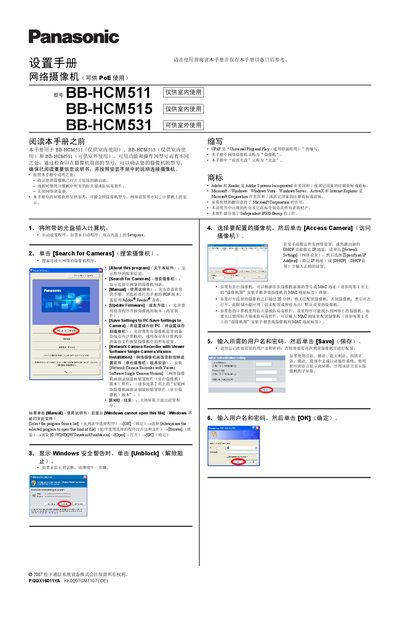
Panasonic BB-HCM511/BB-HCM515/BB-HCM531 Network Camera Installation Guide
The guide explains how to set up Panasonic network cameras that support PoE. It covers initial software installation from the supplied CD, searching for cameras on the network, and configuring basic settings such as IP address, DHCP, and user credentials.
Additional sections describe enabling internet access via UPnP or manual port forwarding, registering the camera with Viewnetcam.com, and troubleshooting tips for firewall or antivirus interference. The manual also includes instructions for adjusting date/time and saving settings to the camera or PC. This manual is written in Chinese.
Panasonic BB-HCM531 specifications
| BB-HCM511 usage | Indoor only |
|---|---|
| BB-HCM531 usage | Outdoor capable |
| Power over Ethernet | Supported |
Source: Panasonic BB-HCM511/BB-HCM515/BB-HCM531 Network Camera Installation Guide
All Panasonic BB-HCM531 documents by type
Mounting, wiring and first power-up. Read it before the hardware goes in.
Questions answered in these manuals
How do I start the camera setup program?
Insert the supplied CD, then run Setup.exe; if it does not start automatically, double‑click Setup.exe on the disc.
From: Panasonic BB-HCM511/BB-HCM515/BB-HCM531 Network Camera Installation Guide
What type of network cable is required?
A straight‑through Category‑5 (5类) LAN cable is required for connecting the camera to a PoE switch or router.
From: Panasonic BB-HCM511/BB-HCM515/BB-HCM531 Network Camera Installation Guide