
Key facts
- Brand
- Panasonic
- Model
- BL-C101
- Category
- Monitoring Equipment
- Industry
- Electronics
- Documents
- 2
- Languages
- EN
- Last added
- 2012-05-03
Start here
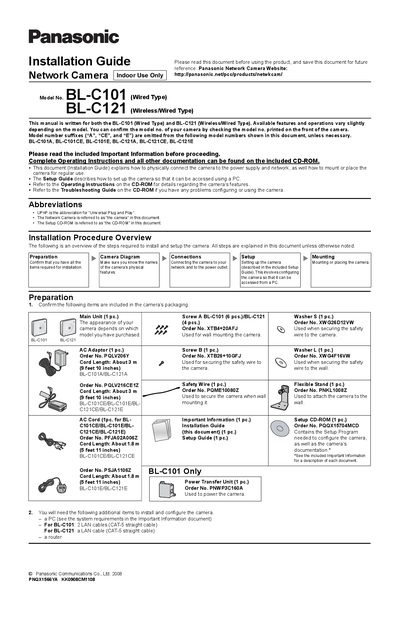
Panasonic BL-C101 / BL-C121 Network Camera Installation Guide
This Installation Guide explains how to physically connect Panasonic BL-C101 and BL-C121 network cameras to power and network, and how to mount them for indoor use. It lists the items supplied in the package, required tools, and preparation steps such as confirming the correct model and gathering LAN cables, AC adapters, and safety wire.
The guide details connection procedures, including LAN cable length limits, power‑transfer unit setup, and external I/O interface usage. It provides mounting instructions for wall, ceiling, and flexible‑stand installations, emphasizing the use of safety wire, appropriate screws, and keeping the camera upright and away from obstacles that could affect wireless performance.
Panasonic BL-C101 specifications
| Maximum LAN cable length | 30 m (98 ft 5 in) |
|---|---|
| Cord length (standard models) | About 3 m (9 ft 10 in) |
| Cord length (CE/E models) | About 1.8 m (5 ft 11 in) |
| External output terminal voltage | DC 8‑10 V |
| External output terminal maximum load | 100 mA |
| Indoor use only | Yes |
Source: Panasonic BL-C101 / BL-C121 Network Camera Installation Guide
All Panasonic BL-C101 documents by type
Day-to-day operation, settings and troubleshooting. Start here if the product is already set up.
Mounting, wiring and first power-up. Read it before the hardware goes in.
Questions answered in these manuals
What is the maximum length for the LAN cable?
The LAN cable should be no longer than 30 m (98 ft 5 in).
From: Panasonic BL-C101 / BL-C121 Network Camera Installation Guide
What is the maximum current the external output terminal can supply?
The external output terminal can supply up to 100 mA.
From: Panasonic BL-C101 / BL-C121 Network Camera Installation Guide