
Key facts
Start here
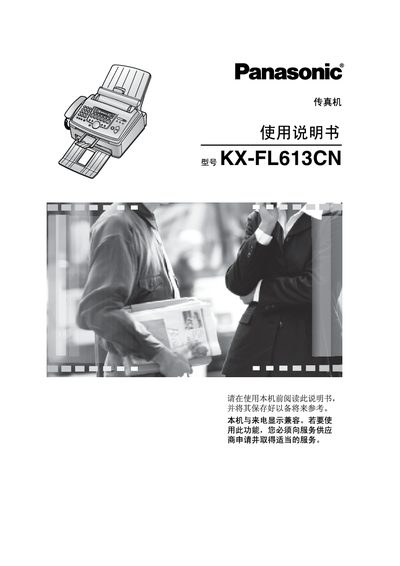
Panasonic KX-FL613CNFax Manual
This manual covers the complete setup and use of the Panasonic FL613CN-PFQX2071Y fax machine, including safety precautions, hardware installation, and configuration of telephone and fax functions. It also details programmable features, copying functions, and how to replace consumables such as toner cartridges and drums.
Additional sections provide troubleshooting guidance, paper handling tips, cleaning procedures, and full technical specifications such as power consumption, dimensions, and supported paper sizes. The document is written in Chinese and includes an index for quick reference.
Panasonic KX-FL613CN specifications
| Applicable line | Public switched telephone network |
|---|---|
| Maximum document size | 216 mm × 600 mm |
| Effective scan width | 208 mm |
| Effective print width | 202 mm |
| Transmission power consumption | ≈ 12 W |
| Maximum power consumption | ≈ 950 W (with lamp on) |
| Dimensions (H × W × D) | ≈ 370 mm × 430 mm × 480 mm |
| Weight (including accessories) | ≈ 9 kg |
| Power supply | 220‑240 V AC, 50/60 Hz, 4.3 A |
Source: Panasonic KX-FL613CNFax Manual
All Panasonic KX-FL613CN documents by type
Day-to-day operation, settings and troubleshooting. Start here if the product is already set up.
Questions answered in these manuals
How many pages can be stored for sending fax?
The fax memory can hold about 120 pages for transmission.
What paper size and weight should be used?
Use A4 paper (210 mm × 297 mm) with a weight of 60‑90 g/m², avoiding cotton‑rich, glossy, coated, or damaged paper.
How many pages can the KX-FL613CN store in its internal memory?
It can store up to 170 pages in its internal memory.
From: Panasonic KX-FL613CN High-Speed Laser Fax Machine User Manual
What is the printing speed of the KX-FL613CN?
The printer can produce up to 14 pages per minute.
From: Panasonic KX-FL613CN High-Speed Laser Fax Machine User Manual