
Key facts
- Brand
- Panasonic
- Model
- BB-HCM527
- Category
- Camcorders
- Industry
- Electronics
- Documents
- 2
- Languages
- ZH
- Last added
- 2012-03-15
Start here
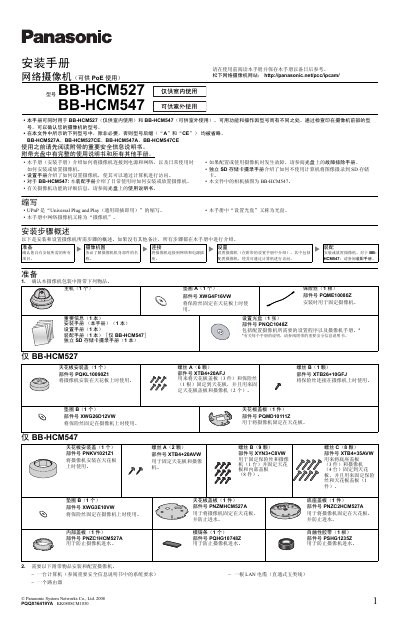
Panasonic BB-HCM527/BB-HCM547 Network Camera Installation Guide
This guide explains how to install and configure Panasonic BB-HCM527 (indoor) and BB-HCM547 (outdoor) network cameras. It includes a checklist of required items, step‑by‑step mounting instructions, wiring diagrams for PoE or optional AC adapters, and basic configuration steps.
The document also details the external I/O interface, power specifications, and safety precautions for ceiling mounting, cable routing, and environmental considerations such as water‑proofing and exposure to sunlight. This manual is written in Chinese.
Panasonic BB-HCM527 specifications
| Power Options | PoE or optional AC adapter (BB‑HCA3A/BB‑HCA3CE/BB‑HCA3E) |
|---|---|
| External I/O Ports | 6 ports (including 2 sensor inputs, 1 control output, 1 DC power output, etc.) |
| DC Power Output Voltage | 10.5‑13 V DC |
| DC Power Output Max Load | 100 mA |
| Recommended LAN Cable | Straight‑through Category‑5 (5‑class) cable |
Source: Panasonic BB-HCM527/BB-HCM547 Network Camera Installation Guide
All Panasonic BB-HCM527 documents by type
Mounting, wiring and first power-up. Read it before the hardware goes in.
Questions answered in these manuals
Can the BB-HCM527 be installed outdoors?
No, BB‑HCM527 is for indoor use only; outdoor installation is only supported by BB‑HCM547.
From: Panasonic BB-HCM527/BB-HCM547 Network Camera Installation Guide
What power sources can be used with the cameras?
The cameras can be powered via PoE or with an optional AC adapter (models BB‑HCA3A, BB‑HCA3CE, or BB‑HCA3E).
From: Panasonic BB-HCM527/BB-HCM547 Network Camera Installation Guide
Can the BB‑HCM527 be installed outdoors?
No, the camera is for indoor use only.
How do I connect the camera to the network?
Connect the camera with a straight‑through Cat5 LAN cable to a router or a PoE switch, and enable the router’s UPnP function.