
Key facts
- Brand
- Panasonic
- Model
- PT-BX20
- Documents
- 2
- Languages
- ZH
- Last added
- 2012-03-13
Start here
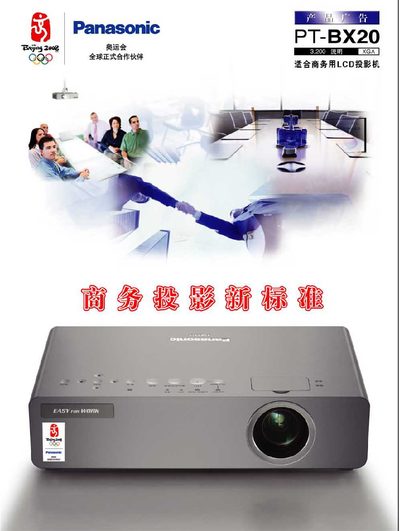
Panasonic PT-BX20 Projector User Manual
The PT-BX20 projector features a stylish design, advanced dust‑prevention technology, and a high‑performance LCD engine that delivers clear, vivid images even in well‑lit rooms. Its chassis includes multiple dust‑sensing controls and a micro‑hole electrostatic filter to keep the optics clean.
The manual covers easy operation such as a 3‑second quick start, automatic source detection, auto‑keystone correction, power‑off protection, lamp replacement from the rear, low‑noise (29 dB) performance, and a variety of ports including two computer interfaces. Installation options, including ceiling‑mount brackets, and additional functions like multiple menu languages and digital zoom are also described. This manual is written in Chinese.
Panasonic PT-BX20 specifications
| Weight | 2.96 kg |
|---|---|
| Noise Level | 29 dB |
| Quick‑Start Time | 3 seconds |
| Digital Zoom | 3× |
| Menu Languages | 17 |
| Computer Ports | 2 |
| Lamp Replacement | Rear‑side access |
| Dust‑Protection Design | Enhanced image quality maintenance |
| Power‑off Protection | Continues fan operation after power loss |
All Panasonic PT-BX20 documents by type
Day-to-day operation, settings and troubleshooting. Start here if the product is already set up.
Questions answered in these manuals
How long does it take for the PT‑BX20 projector to start up?
The projector starts up in 3 seconds.
What is the weight of the PT‑BX20 projector?
It weighs 2.96 kg.
How often does the automatic cleaning filter need to be replaced?
The ACF filter replacement cycle is 1.66 times longer than that of the ARF filter.
How can the projector be connected to a network?
It supports a wired LAN interface with PJLink class 1 and can be monitored by multi‑projector control software.