
Key facts
Start here
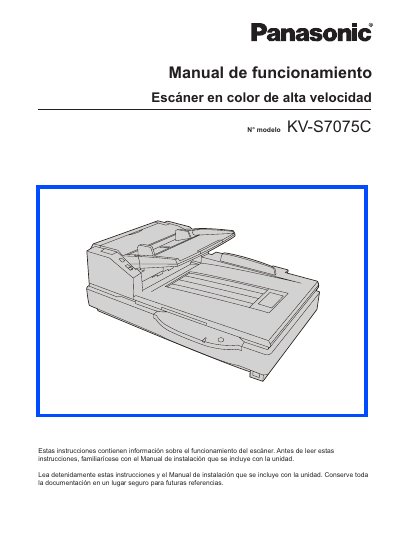
Panasonic KVS7075C-SPA Manual
This document is the Operation Manual (Manual de funcionamiento) for the Panasonic KV-S7075C high-speed color scanner. It provides instructions on component identification, power-on sequences, loading documents into the ADF or flatbed, and performing various scan operations including handling different paper sizes and thicknesses.
The manual also details maintenance procedures such as cleaning external and internal components, replacing consumible roller modules, and resolving paper jams. Additionally, it includes a section on troubleshooting common issues like shading adjustments and provides safety warnings regarding power supply and grounding. This manual is written in Spanish.
Panasonic KV-S7075C specifications
| System Requirements CPU | Intel Core 2 Duo, 1.8 GHz or higher |
|---|---|
| Memory Requirement | 1 GB or more |
| Hard Disk Space | 5 GB or more free space required |
Source: Panasonic KVS7075C-SPA Manual
All Panasonic KV-S7075C documents by type
Mounting, wiring and first power-up. Read it before the hardware goes in.
Day-to-day operation, settings and troubleshooting. Start here if the product is already set up.
Questions answered in these manuals
What should I do if the power indicator LED does not light?
Check that the power plug is fully inserted; if the LED still does not illuminate, disconnect the power and contact a qualified service technician.
From: Panasonic KV-S7075C High Speed Color Scanner Installation Guide
What is the minimum amount of free hard drive space required?
You need 5 GB or more of free space.
What type of interface is recommended for connecting the scanner?
The use of the USB 2.0 interface is recommended.
What operating systems are supported?
The scanner supports Windows 2000, Windows XP, and Windows Vista.
What interface is required for the scanner?
A USB 2.0 interface is required, as USB 1.1 is slower and may not work if connected to a hub.
What is the minimum amount of available hard drive space required for this scanner?
The scanner requires at least 5 GB of available hard drive space.
From: Panasonic KV-S7075C High-Speed Color Scanner User Manual