
Key facts
- Brand
- Panasonic
- Model
- BL-C111
- Documents
- 2
- Languages
- ZH
- Last added
- 2000-01-01
Start here
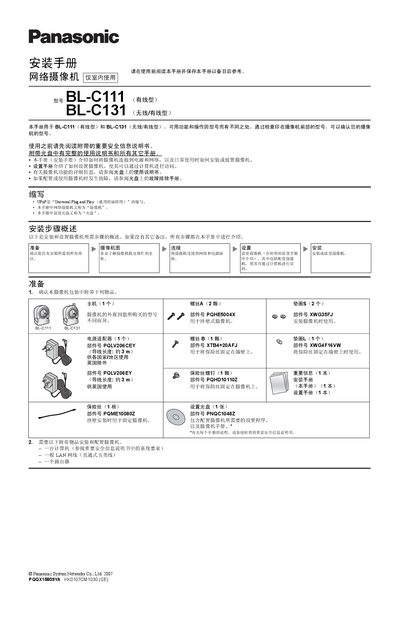
Panasonic BL-C111/BL-C131 Installation Guide
This guide explains how to connect the Panasonic BL-C111 and BL-C131 network cameras to power and a LAN, how to mount them on walls or tripods, and how to perform the initial setup using the supplied setup CD. It also lists the required accessories such as a computer, LAN cable, router and the specific Panasonic power adapter.
The document provides detailed instructions on selecting a suitable installation location, understanding the built‑in thermoelectric infrared sensor range, using the privacy button, and handling wireless communication obstacles. Safety notes and wiring diagrams are included to ensure a correct and reliable installation. This manual is written in Chinese.
Panasonic BL-C111 specifications
| Power adapter part number (BL‑C111CE/BL‑C131CE) | PQLV206CEY |
|---|---|
| Power adapter cable length | ≈ 3 m |
| Built‑in sensor detection range | ≈ 5 m forward, 30° horizontal, 85° vertical |
All Panasonic BL-C111 documents by type
Mounting, wiring and first power-up. Read it before the hardware goes in.
Questions answered in these manuals
What is the detection range of the built‑in infrared sensor?
The sensor can detect motion up to about 5 m in front of the camera, with a horizontal field of about 30° and a vertical field of about 85°.
Which power adapter should be used with the cameras?
Only the specified Panasonic adapters may be used: model PQLV206CEY for BL‑C111CE/BL‑C131CE and model PQLV206EY for BL‑C111E/BL‑C131E.
How do I start the camera setup program?
Insert the supplied CD into the computer and run Setup.exe; if it does not start automatically, double‑click the file.
From: Panasonic BL-C111/BL-C131 Network Camera Installation Guide
How can I configure wireless settings for the BL‑C131 camera?
After selecting the camera, click the wireless setup step, enter the wireless parameters, and click Save. BL‑C111 users can skip this step.
From: Panasonic BL-C111/BL-C131 Network Camera Installation Guide