
Key facts
- Brand
- Panasonic
- Model
- DMC-FX3
- Category
- Other Electronics
- Industry
- Electronics
- Documents
- 17
- Languages
- ES · EN · JA · ZH
- Last added
- 2012-08-09
Start here
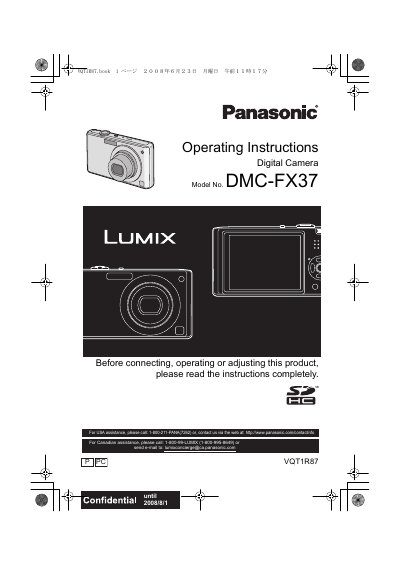
Panasonic DMC-FX37 Digital Camera Operating Instructions
This document serves as the official operating guide for the Panasonic DMC-FX37 digital camera. It provides comprehensive instructions on preparing the device, including charging the battery and inserting memory cards. The manual details how to operate the camera in various modes, such as Intelligent Auto Mode and Normal Picture Mode, allowing users to capture images with automatic scene detection or specific settings.
Read onlinePanasonic DMC-FX3 specifications
| Effective pixels | 7,200,000 pixels |
|---|---|
| Image sensor | 1/2.5" CCD, 7,380,000 total pixels |
| Lens optical zoom | 3.6× (f1.4‑5.6, 28‑100 mm equivalent) |
| Digital zoom | Maximum 4× |
| Extended optical zoom | Maximum 5.3× |
| ISO sensitivity | Auto, 100, 200, 400, 800, 1250, High Sens. 3200 |
| Power source | DC 5.1 V |
| Power consumption | 1.6 W recording, 0.8 W playback |
Source: Panasonic DMC-FX30 Digital Camera Operating Instructions
All Panasonic DMC-FX3 documents by type
Day-to-day operation, settings and troubleshooting. Start here if the product is already set up.
- Panasonic DMCFX37-SPA user manual 32 p
- Panasonic DMC-FX37 Digital Camera Operating Instructions 128 p
- Panasonic DMCFX35-SPA Manual 32 p
- Panasonic DMCFX33-SP Manual 32 p
- Panasonic DMC-FX33 Digital Camera Operating Instructions 128 p
- Panasonic DMCFX30-SPA Manual 32 p
- Panasonic DMC-FX30 Digital Camera Operating Instructions 120 p
- Panasonic DMC-FX30 User Manual 96 p
- Panasonic DMC-FX30GK Digital Camera User Manual 96 p
- Panasonic DMC-FX07 and DMC-FX3 Digital Camera User Manual 104 p
- Panasonic DMC-FX33GK Digital Camera User Manual 104 p
- Panasonic DMC-FX33GK Digital Camera User Manual 104 p
- Panasonic DMC-FX30 Digital Camera User Manual 96 p
- Panasonic DMC-FX38GK Digital Camera User Manual 116 p
- Panasonic DMC-FX36GK Digital Camera User Manual 116 p
- Panasonic DMC-FX07 / DMC-FX3 Digital Camera User Manual 104 p
Questions answered in these manuals
How long should I leave the camera to let condensation disappear?
You should turn off the camera and leave it for approximately two hours.
What is the maximum capacity of an SDHC memory card supported by this camera?
The camera supports SDHC cards with capacities up to 32 GB.
What should I do if condensation occurs on the lens?
Turn the camera off and leave it for about 2 hours until the temperature of the camera becomes close to the ambient temperature.
From: Panasonic DMC-FX37 Digital Camera Operating Instructions
Where is the serial number located?
The serial number is on the tag located on the underside of your Camera.
From: Panasonic DMC-FX37 Digital Camera Operating Instructions
Where is the serial number located?
The serial number is found on the label located on the bottom of the camera.
What should be done if condensation forms on the lens?
Turn off the camera and leave it for approximately 2 hours until the fog disappears naturally.