
Key facts
- Brand
- Panasonic
- Model
- WV-CP474
- Category
- Other Electronics
- Industry
- Electronics
- Documents
- 2
- Languages
- EN
- Last added
- 2012-08-08
Start here
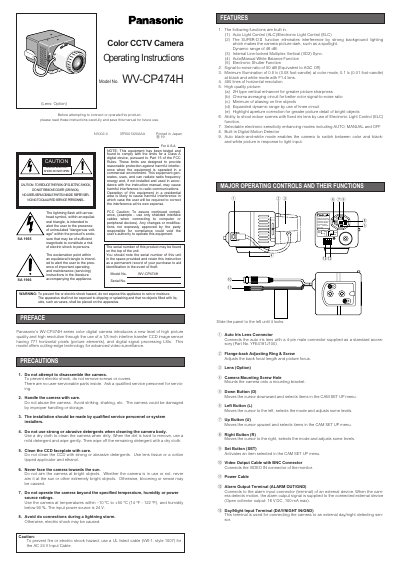
Panasonic WV-CP474H Color CCTV Camera Operating Instructions
This manual provides operating instructions for the Panasonic WV-CP474H series color digital camera. It highlights key features such as Auto Light Control (ALC), Electronic Light Control (ELC), and a built-in Digital Motion Detector designed to eliminate interference from strong background lighting. The device utilizes a 1/3-inch interline transfer CCD image sensor with 771 horizontal pixels for high-quality video surveillance.
Read onlinePanasonic WV-CP474 specifications
| Image Sensor | 1/3-inch interline transfer CCD |
|---|---|
| Horizontal Pixels | 771 horizontal pixels |
| Dynamic Range | 46 dB |
| Signal-to-noise ratio | 50 dB (AGC Off) |
| Minimum Illumination (Color) | 0.8 lx |
| Horizontal Resolution | 480 lines |
| Operating Temperature | -10 °C to +50 °C |
| Input Power Source | 24 V AC |
Source: Panasonic WV-CP474H Color CCTV Camera Operating Instructions
All Panasonic WV-CP474 documents by type
Day-to-day operation, settings and troubleshooting. Start here if the product is already set up.
Questions answered in these manuals
What type of power supply should be used?
Connect this to a 24 V AC Class 2 Power Supply only.
From: Panasonic WV-CP474H Color CCTV Camera Operating Instructions
Can the camera switch between color and black-and-white?
Yes, it has an Auto black-and-white mode that switches based on light input.
From: Panasonic WV-CP474H Color CCTV Camera Operating Instructions
How do I reset the camera to factory settings?
Move the cursor to the CAMERA RESET parameter and hold the left and right buttons while pressing the set button for at least two seconds; the camera will return to its factory defaults.
From: Panasonic WV-CP470 / WV-CP474 Camera Operating Instructions