
Key facts
- Brand
- Panasonic
- Model
- GT32
- Category
- Other device
- Industry
- Industrial
- Documents
- 4
- Languages
- ZH
- Last added
- 2012-04-11
Start here
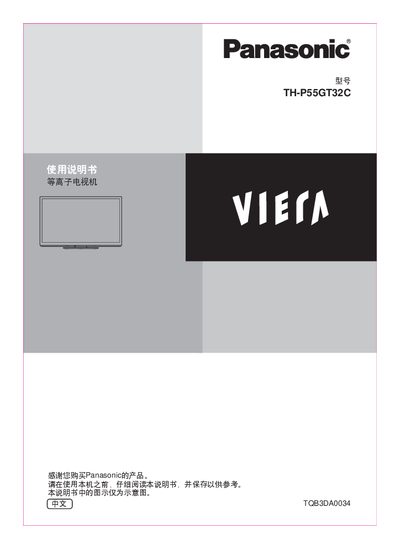
Panasonic TH-P55GT32C Plasma TV User Manual
This manual explains how to safely set up and operate the Panasonic TH-P55GT32C plasma television. It covers safety precautions, basic connections, optional accessories, and how to install the base or wall‑mount bracket.
Key sections include instructions for watching 3D images, using VIERA Link, connecting external devices via HDMI, USB and Ethernet, updating the TV software, and routine maintenance. Technical specifications and a FAQ are provided at the end of the document. This manual is written in Chinese.
Panasonic GT32 specifications
| Rated Power Supply | 24V DC |
|---|---|
| Operating Voltage Range | 21.6‑26.4V DC |
| Power Consumption (GT32M) | ≤10W (≤410mA) |
| IP Protection | IP65 (initial) |
| Weight (GT32M) | ≈500 g |
| Display Resolution | 320 × 240 pixels |
| Touch Switch Force | < 0.8 N |
| F‑ROM Memory Capacity | 2048 kB |
Source: Panasonic GT32 Programmable Smart Operation Panel Service Manual
All Panasonic GT32 documents by type
Disassembly, diagnostics and part numbers, for repair.
Day-to-day operation, settings and troubleshooting. Start here if the product is already set up.
Questions answered in these manuals
How many screens can be stored in the GT32’s memory?
Approximately 240 screens can be stored.
From: Panasonic GT32 Programmable Smart Operation Panel Service Manual
How can the GTWIN menu language be changed to Chinese?
Open the GTWIN menu and select the option to switch the language from English to Chinese.
What is the recommended method to connect the GT32 to a PLC via the COM port?
Connect the GT32 COM port to the PLC’s COM port using the appropriate cable as described in the connection section.
How should I install the TV base?
Do not disassemble or modify the base; use only the Panasonic‑approved base, tighten all screws, and have at least two people perform the installation.
What safety steps are required for the power plug?
Insert the power plug fully into a grounded outlet, ensure the grounding pin contacts the socket, and never touch live parts.
How much clearance is needed around the microwave oven?
Leave a 15 cm gap above the oven, 5 cm on each side, and 10 cm at the rear.