
Key facts
- Brand
- EXTECH
- Model
- CTH10A
- Category
- Clocks and Timers
- Documents
- 2
- Languages
- EN
- Last added
- 2023-10-31
Start here
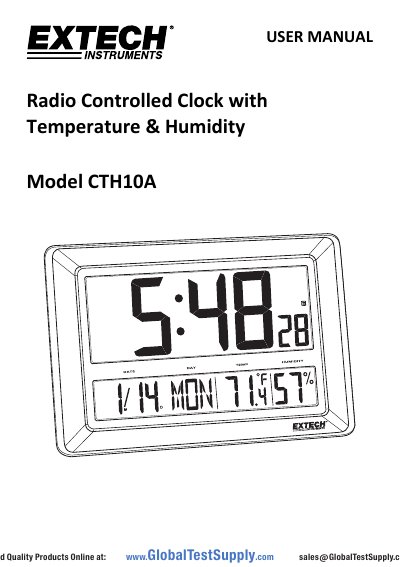
Extech CTH10A Radio Controlled Clock with Temperature & Humidity User Manual
This is the Extech CTH10A user manual for the Radio Controlled Clock with Temperature & Humidity displays. The clock shows time in 12/24 hour format, the date, day of week, indoor temperature and indoor relative humidity from internal sensors, and it can set itself automatically from the RC-WWVB radio time signal or be set manually.
The manual explains the meter description and button layout, getting started with three 'C' batteries and a reset, automatic and manual time setting, time zone and DST settings, the daily alarm and snooze function, switching between °C and °F, battery replacement and disposal, and a specifications table.
Extech CTH10A specifications
| Display | Extra-large multi-function LCD |
|---|---|
| Calendar Clock | Real-time calendar clock, up to year 2069 |
| Time Signal Detector | RC-WWVB radio signal automatically sets the time; can also be set manually |
| Temperature Measurement Range | 0 to 50 °C (32 to 122 °F) |
| Storage Temperature | -20 to 60 °C (-4 to 140 °F) |
| Temperature Resolution | 0.1 °C or °F |
| Relative Humidity Measurement Range | 20 to 99% RH |
| Power Supply | Three (3) 'C' type batteries |
| Dimensions | 29 x 43 x 3.8 cm (11.4 x 17 x 1.5 in.) |
| Weight | 1.25 kg (2.75 lbs.) |
Source: Extech CTH10A Radio Controlled Clock with Temperature & Humidity User Manual
All Extech CTH10A documents by type
Day-to-day operation, settings and troubleshooting. Start here if the product is already set up.
Questions answered in these manuals
What type of batteries does the Extech CTH10A use?
It uses three (3) 'C' type batteries, inserted in the rear battery compartment with correct polarity. After fitting them, press the Reset button to initialize the meter.
From: Extech CTH10A Radio Controlled Clock with Temperature & Humidity User Manual
How often does the CTH10A synchronize with the WWVB time signal?
The clock synchronizes with the WWVB radio signal every day at 2am; if that fails it retries at 3, 4 and 5am.
From: Extech CTH10A Radio Controlled Clock with Temperature & Humidity User Manual
How often does the clock synchronize with the WWVB signal?
The clock automatically synchronizes with the WWVB radio signal every day at 2am to maintain accurate time.
From: Extech CTH10A Radio Controlled Clock with Temperature & Humidity User Manual
How long does the alarm snooze last?
The alarm snoozes for approximately 5 minutes before alerting again.
From: Extech CTH10A Radio Controlled Clock with Temperature & Humidity User Manual