
Key facts
- Brand
- Philips
- Model
- SA1ARA08
- Category
- MP3 Player
- Industry
- Electronics
- Documents
- 2
- Languages
- EN · ZH
- Last added
- 2012-03-27
Start here
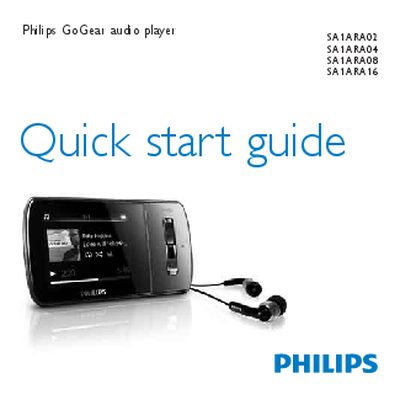
Philips GoGear Aria SA1ARA02/SA1ARA04/SA1ARA08/SA1ARA16 Quick Start Guide
The Philips GoGear Aria Quick Start Guide walks you through registering the device, checking the items included in the box, and familiarising yourself with the controls and connections. It also explains how to connect the player to a computer, charge it for the first use, and install the required software.
Further sections cover basic operation such as turning the player on, navigating menus, transferring and organising files, listening to audiobooks, updating firmware, and proper disposal of the device and its built‑in battery.
Philips SA1ARA08 specifications
| Minimum PC OS | Windows XP (SP2 or above) / Vista |
|---|---|
| Minimum CPU | Pentium III 800 MHz or higher |
| Minimum RAM | 512 MB |
| Minimum hard‑disk space | 500 MB |
Source: Philips GoGear Aria SA1ARA02/SA1ARA04/SA1ARA08/SA1ARA16 Quick Start Guide
All Philips SA1ARA08 documents by type
Day-to-day operation, settings and troubleshooting. Start here if the product is already set up.
The shortest path to a working setup, usually only a few pages.
Questions answered in these manuals
How do I register my GoGear Aria?
Visit www.philips.com/welcome and register the product so you receive notifications of free upgrades.
From: Philips GoGear Aria SA1ARA02/SA1ARA04/SA1ARA08/SA1ARA16 Quick Start Guide
How long should I charge the device for the first use?
Allow the GoGear Aria to charge for about 3 hours before first use.
From: Philips GoGear Aria SA1ARA02/SA1ARA04/SA1ARA08/SA1ARA16 Quick Start Guide
How long should I charge the GoGear Aria for the first time?
Charge the device for about three hours before first use; the charging animation will stop and a battery icon will appear when charging is complete.
From: philips GOGEAR ARIA SA1ARA02 SA1ARA04 SA1ARA08 SA1ARA16 Manual