
Key facts
- Brand
- Philips
- Model
- SA1OPS16
- Category
- MP3 Player
- Industry
- Electronics
- Documents
- 4
- Languages
- ZH
- Last added
- 2012-02-28
Start here
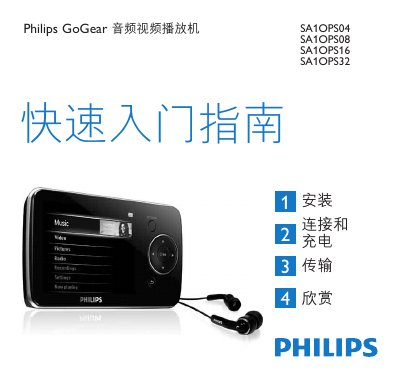
Philips GoGear SA1OPS04/SA1OPS08/SA1OPS16/SA1OPS32 Audio Video Player Quick Start Guide
This quick start guide introduces the Philips GoGear audio video player models SA1OPS04, SA1OPS08, SA1OPS16 and SA1OPS32. It provides a brief overview of the package contents, controls, connections, and how to install the required software on a Windows PC.
The guide explains how to connect the player via the mini‑USB port, charge the built‑in battery, transfer music and video files using Windows Media Player 11, and enjoy playback, radio, and recording functions. It also includes troubleshooting steps, reset instructions, and information on proper disposal and recycling of the device and its battery. This manual is written in Chinese.
Philips SA1OPS16 specifications
| Battery charge time (first use) | 5 hours minimum |
|---|---|
| Full charge time | 1.4 hours for 100% charge |
| 80% charge time | 2 hours |
| USB interface | mini USB port |
Source: Philips GoGear SA1OPS04/SA1OPS08/SA1OPS16/SA1OPS32 Audio Video Player Quick Start Guide
All Philips SA1OPS16 documents by type
Day-to-day operation, settings and troubleshooting. Start here if the product is already set up.
The shortest path to a working setup, usually only a few pages.
Questions answered in these manuals
How long should I charge the player before first use?
Charge the player for at least 5 hours before the first use.
From: Philips GoGear SA1OPS04/SA1OPS08/SA1OPS16/SA1OPS32 Audio Video Player Quick Start Guide
How can I reset the player if it becomes unresponsive?
Insert a small needle into the reset hole at the bottom of the player and hold it until the device turns off.
From: Philips GoGear SA1OPS04/SA1OPS08/SA1OPS16/SA1OPS32 Audio Video Player Quick Start Guide
How do I charge the GoGear audio video player?
Connect the device to a PC or charger using the USB cable.
From: Philips SA1OPS04/SA1OPS08/SA1OPS16/SA1OPS32 Audio Video Player Quick Start Guide
How do I set a volume limit on the GoGear Opus?
Open Settings → Sound Settings → Volume Limit, adjust the volume control, and confirm. The device will not exceed the set limit.
From: Philips GoGear Opus SA1OPS08/SA1OPS16/SA1OPS32 User Manual
How can I safely disconnect the GoGear Opus from my computer?
Close all GoGear Opus applications on the computer, click the safe‑remove icon in the task bar, wait for the confirmation message, then unplug the USB cable.
From: Philips GoGear Opus SA1OPS08/SA1OPS16/SA1OPS32 User Manual