
Key facts
- Brand
- Maxim
- Model
- MAX4814E
- Industry
- Industrial
- Documents
- 2
- Languages
- EN · JA
- Last added
- 2012-05-07
Start here
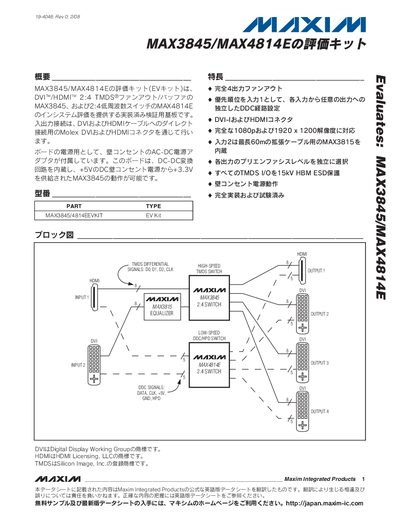
Maxim MAX3845/MAX4814E Evaluation Kit User Manual
The MAX3845/MAX4814E evaluation kit provides a fully implemented 4‑output fan‑out solution for HDMI/DVI signals, supporting 1080p and 1920 × 1200 resolutions. The board includes built‑in DC‑DC conversion, wall‑outlet AC power operation, and independent DDC configuration for each input.
The manual contains a quick‑start guide, parts list, block and circuit diagrams, layout drawings, and details on ESD protection, pre‑emphasis settings, and switch functions to configure the kit for various test scenarios. This manual is written in Japanese.
Maxim MAX4814E specifications
| Supply Voltage (VDD) | 4.5 V – 5.5 V |
|---|---|
| Operating Temperature Range | -40 °C to +85 °C |
| On‑Resistance (low‑resistance channels) | 3 Ω (typ) |
| ESD Protection (HBM) | ±6 kV |
Source: Maxim MAX4814E DVI/HDMI 2:4 Low-Frequency Fanout Switch Datasheet
All Maxim MAX4814E documents by type
Day-to-day operation, settings and troubleshooting. Start here if the product is already set up.
Ratings, dimensions and ordering codes, for selection and design work.
Questions answered in these manuals
What supply voltage does the MAX4814E require?
It operates from a single +5.0 V ±10 % supply voltage.
From: Maxim MAX4814E DVI/HDMI 2:4 Low-Frequency Fanout Switch Datasheet
How can the MAX4814E be controlled?
The device can be controlled either through an I²C interface or by direct‑control logic inputs using the MODE pin.
From: Maxim MAX4814E DVI/HDMI 2:4 Low-Frequency Fanout Switch Datasheet
How do I power the evaluation kit?
Connect the kit to a 120 V AC wall outlet using the supplied AC‑DC adapter; the board will power up from the wall outlet.
What connectors are provided for HDMI and DVI?
The board includes Molex DVI and HDMI connectors that connect directly to HDMI/DVI cables.