
Key facts
- Brand
- Maxim
- Model
- MAX1454
- Category
- Other Electronics
- Documents
- 2
- Languages
- EN
- Last added
- 2012-05-08
Start here
Maxim MAX1454 Evaluation System User Manual
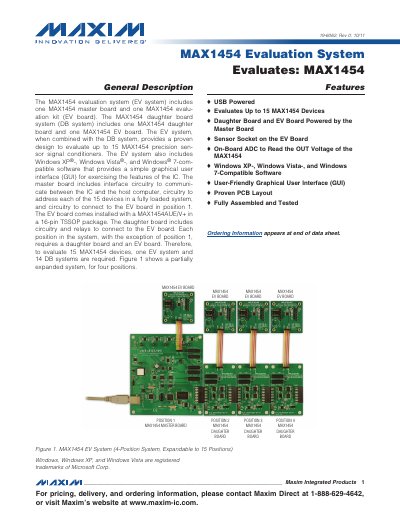
The MAX1454 Evaluation System includes a master board, an EV board, and optional daughter boards that together can evaluate up to 15 MAX1454 precision sensor signal conditioners. The system is USB‑powered and comes with Windows‑compatible software that provides a graphical user interface for configuring and testing the ICs.
The manual covers hardware component lists, jumper settings, software installation steps, and detailed descriptions of the software’s Register Settings, ADC Reading, Flash, and Log File tabs. It also provides quick‑start procedures, wiring diagrams, and troubleshooting guidance.
Maxim MAX1454 specifications
| Supply voltage range (Vcc) | +1.7 V to +3.6 V |
|---|---|
| Supply voltage range (VL) | +1.1 V to +3.6 V |
| Package type | 40‑bump WLP (2.16 mm × 3.46 mm) with 0.4 mm ball pitch |
| Enable (EN) pin function | Low‑power shutdown when driven low |
All Maxim MAX1454 documents by type
Ratings, dimensions and ordering codes, for selection and design work.
Day-to-day operation, settings and troubleshooting. Start here if the product is already set up.
Questions answered in these manuals
What supply voltage ranges are supported by the MAX14548E and MAX14548AE?
Vcc can be from +1.7 V to +3.6 V, and VL can be from +1.1 V to +3.6 V.
Which package is used for the MAX14548E/AE devices?
They are offered in a 40‑bump WLP package (2.16 mm × 3.46 mm) with a 0.4 mm ball pitch.
How many MAX1454 devices can the evaluation system test?
The system can evaluate up to 15 MAX1454 devices.
Which Windows versions are compatible with the EV system software?
The software works with Windows XP, Windows Vista, and Windows 7.