
Key facts
- Brand
- EXTECH
- Model
- TG30
- Industry
- Industrial
- Documents
- 3
- Languages
- EN
- Last added
- 2023-10-18
Start here
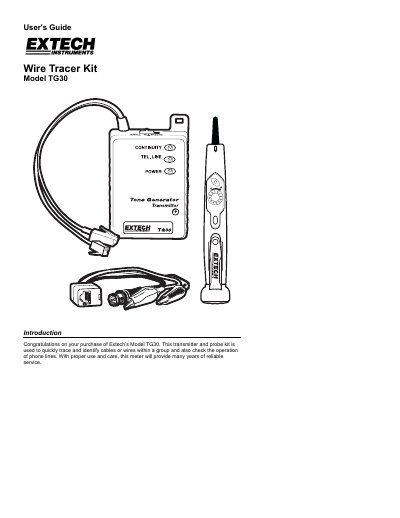
Extech TG30 Wire Tracer Kit User's Guide
This guide explains how to use the Extech TG30 wire tracer kit to trace and identify wires or cables. It includes instructions for self-testing, cable tracing, telephone line testing, and continuity testing. Safety precautions and battery replacement procedures are also provided.
The kit includes a transmitter and probe, with specifications for power, temperature, and dimensions. The guide details how to connect the transmitter to cables, adjust probe sensitivity, and interpret LED and tone indicators for proper operation.
EXTECH TG30 specifications
| Power | Transmitter: 9V NEDA 1604/1604AL; Probe: (4) LR44, 157, AG13, A76 or equivalent |
|---|---|
| Operating Temperature | 14 to 122 o F (-100 to 50 o C) |
| Operating Humidity | <80% RH |
| Altitude | 2000 meters |
| Probe Dimensions | 5.8x1.1x1.1(147x28x28mm) |
| Transmitter Dimensions | 2.6x4.1x0.9”(67x103x23mm) |
| Probe Weight | 1.1oz(30g) |
| Transmitter Weight | 4.2oz(120g) |
All EXTECH TG30 documents by type
Day-to-day operation, settings and troubleshooting. Start here if the product is already set up.
Questions answered in these manuals
How do I test the wire tracer before use?
Set the transmitter to Tx, adjust probe sensitivity to MAX, press and hold the probe power button. The red LED should light and the tone should be audible when the probe is near the transmitter cable.
What does the telephone line test LED indicate?
Bright Green: Working line, not in use, correct polarity. Dim Green or Red: Working line, not in use, polarity undetermined. Bright Red: Working line, not in use, reverse polarity. Bright Green/Red flashing: Working, ringing line. No light: Open pair, no service.
What is the maximum voltage for safe use?
The transmitter should not be used on circuits greater than 52VDC.
How do I test for continuity?
Switch the transmitter to the CONT position and connect alligator clips to the wire pair; a buzzer sound indicates continuity.
What types of cables can this kit trace?
The kit is designed to trace communications and coaxial cables, including LAN, telephone, and video lines.
How does the non-contact probe identify wires?
The probe audibly identifies a selected wire or cable to help trace connections from source to termination.