
This manual provides instructions for installing, configuring, and troubleshooting the D-Link DAP-1325 N300 Wi-Fi Range Extender.
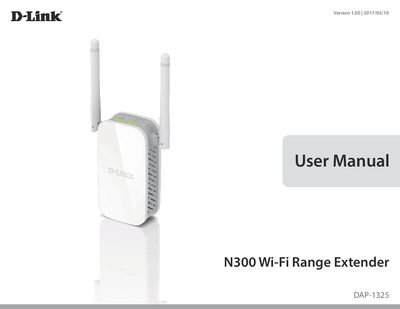
The D-Link DAP-1325 N300 Wi-Fi Range Extender is designed to extend an existing wireless network over a Wireless N connection of up to 300 Mbps. It connects with existing networking equipment to enhance the capabilities of home or office networks, allowing users to bring Wi-Fi to areas with poor or no reception. The device features Smart Signal LED technology to help users find the optimal location for the extender.
| Wireless Standard | IEEE 802.11n, IEEE 802.11g, IEEE 802.11u |
|---|---|
| Wireless Frequency Range | 2.4 GHz to 2.4835 GHz |
| Device Interfaces | 802.11n/g Wireless LAN, 10/100 Fast Ethernet Port |
| Security | Wi-Fi Protected Access (WPA/WPA2), Wi-Fi Protected Setup (WPS) |
| Operating Temperature | 0 to 40 °C (32 to 104 °F) |
| Maximum Power Consumption | 5.5 Watts |
| Dimensions | 97.9 x 50.7 x 48.7 mm (3.85 x 2.00 x 1.91 inches) |
| Weight | 97 grams (3.42 ounces) |
The DAP-1325 provides a wireless connection at up to 300 Mbps with other 802.11n wireless devices.
Use an unfolded paperclip to press and hold the reset button on the bottom of the device for 10 seconds.
The device supports WPA2 (Wi-Fi Protected Access 2), WPA2-PSK, WPA (Wi-Fi Protected Access), and WPA-PSK.
You need a computer or mobile device with Windows, Apple Mac OS, or Linux-based operating system, a wireless adapter, and a compatible browser.