
Key facts
- Manuals
- 1,316
- Models
- 197
- Categories
- 23
- Languages
- EN · ZH · PT
- Last added
- 2026-10-03
Siemens models by category
Featured Siemens manuals
Siemens SINAMICS CU240B/E-2 Control Unit Parameter Manual
The SINAMICS G120 CU240B/E-2 parameter manual provides detailed information on all configurable parameters for the CU240B-2 and CU240E-2 control units. It includes parameter lists, data set overviews, connector/BICO settings, and quick‑commissioning instructions.
Safety and qualification requirements are described, noting that only qualified personnel may commission, operate, or modify the devices. The manual also contains function diagrams, fault and alarm listings, and an extensive index for quick reference.
Covers: Parameters · Function diagrams · Faults and Alarms · Connector/BICO Parameters · Quick commissioning · Appendix
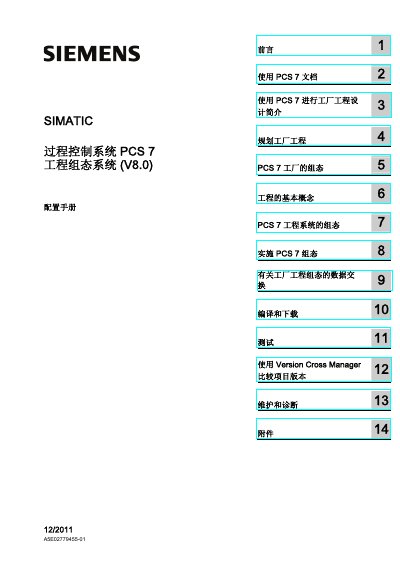
Siemens PCS 7 Process Control System Engineering Configuration Manual
The manual explains how to use PCS 7 documentation, plan factory engineering, and configure a PCS 7 plant. It covers basic engineering concepts, system configuration steps, and implementation procedures for the V8.0 release.
Key sections include selection of network and PC components, hardware configuration, project creation and protection, data exchange methods, and testing and diagnostics. The document also details safety warnings, redundancy concepts, and support services provided by Siemens. This manual is written in Chinese.
Covers: 使用 PCS 7 文档 · 规划工厂工程 · PCS 7 工厂的组态 · 工程的基本概念 · 网络/总线系统的应用领域和参数 · 硬件配置概述
Siemens NX CAM SINUMERIK White Paper
The white paper explains how the optimized connection between Siemens NX CAM software and SINUMERIK controllers enables advanced machine tools to perform complex machining tasks. It outlines the benefits of automated output, manual programmer selection, post‑processor support, and controller‑oriented simulation.
Key sections cover current industry challenges, the value of a CAM‑controller link, detailed benefits of the NX CAM‑SINUMERIK integration, post‑processor editing capabilities, and 3‑D controller‑based simulation, concluding with contact information for Siemens PLM Software. This manual is written in Portuguese.
Covers: Executive Summary · Current Challenges · Need for an Optimized CAM‑CNC Process Chain · Software CAM Dedicated for Specific Machines · Benefits of NX CAM‑SINUMERIK · Post‑processor Editing
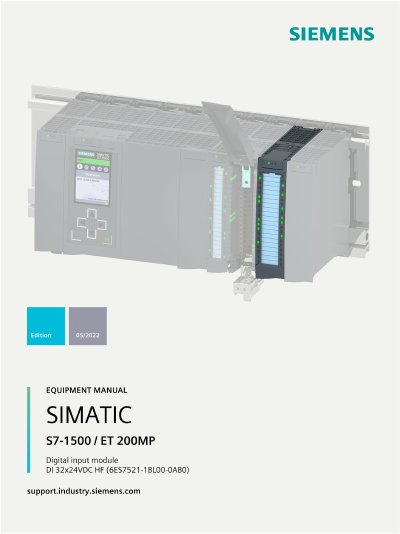
Siemens 6ES7521-1BL00-0AB0 Digital Input Module Equipment Manual
The DI 32x24VDC HF digital input module (6ES7521-1BL00-0AB0) is a Siemens product for the SIMATIC S7‑1500 and ET 200MP systems, offering 32 configurable digital inputs and optional counting functions. It supports high‑frequency input processing and can be integrated with STEP 7 TIA Portal.
The equipment manual covers product overview, wiring diagrams, parameter address space, interrupt and diagnostic alarms, technical specifications, and dimensional drawings. It also includes detailed parameter data record structures for both DI and counting modes.
Covers: Product overview · Wiring · Parameters/address space · Interrupts/diagnostics alarms · Technical specifications · Dimensional drawing
Latest Siemens manuals
Siemens SINAMICS CU240B/E-2 Control Unit Parameter Manual
Service Manual 750 pages · 3.5 MB · ENParameter manual for Siemens SINAMICS CU240B/E-2 control units covering parameters, function diagrams, faults and safety information.
Siemens PCS 7 Process Control System Engineering Configuration Manual
User Manual 848 pages · 6.6 MB · ZHThis Siemens PCS 7 configuration manual provides guidance on planning, engineering, networking, and deployment of the PCS 7 process control system (V8.0).
Siemens NX CAM SINUMERIK White Paper
Application Note 9 pages · 546 KB · PTTechnical white paper describing the integrated workflow between Siemens NX CAM and SINUMERIK controllers for advanced machining.
Siemens 6ES7521-1BL00-0AB0 Digital Input Module Equipment Manual
User Manual 56 pages · 2.6 MB · ENThe Siemens 6ES7521-1BL00-0AB0 DI 32x24VDC HF digital input module manual provides overview, wiring, parameters, diagnostics, and technical specifications.
Siemens XM400 Managed Layer 3 Switch Static Routing Configuration Guide
User Manual 11 pages · 1.4 MB · ZHThis guide explains static routing concepts and provides step‑by‑step configuration instructions for Siemens XM400 SCALANCE managed Layer 3 switches.
Siemens SINAMICS G130 TB30 Terminal Board Operation Manual
User Manual 22 pages · 899 KB · ZHThis manual provides safety instructions, installation steps, wiring details and technical data for the Siemens SINAMICS G130 TB30 terminal board.
Siemens SINUMERIK 840D sl / 828D ISO Milling Programming Manual
Programming Manual 258 pages · 1.8 MB · ZHProgramming guide for Siemens SINUMERIK 840D sl, 840DE sl and 828D controllers covering ISO milling commands and parameters.
Siemens S120 Debugging Manual
Service Manual 288 pages · 4.6 MB · ZHThe Siemens S120 debugging manual provides preparation steps, debugging procedures, and diagnostic information for the drive system.
Siemens LOGO! OBA4 User Manual
User Manual 216 pages · 4.3 MB · ZHThe Siemens LOGO! OBA4 user manual provides installation, wiring, programming, safety and support information for the LOGO! programmable controller.
Siemens XL-II Compact Busbar Trunking System Product Sample
Product Leaflet 44 pages · 1.7 MB · ZHA product sample catalog for Siemens XL-II compact low‑voltage busbar trunking system, covering system overview, components, specs and installation.
Siemens Solid Edge Face Relationship User Manual
User Manual 118 pages · 2.2 MB · ZHThis Siemens Solid Edge user manual explains how to create, edit, and manage face relationships within the software.
Siemens SINAMICS S120 Selection Guide V1.9
Application Note 9 pages · 693 KB · ZHA concise guide for selecting SINAMICS S120 drive modules, power units, motor modules, and accessories.
Siemens SITRANS F M Electromagnetic Flow Meter Product Sample
Product Leaflet 78 pages · 12.8 MB · ZHSiemens SITRANS F M electromagnetic flow meter product sample with specifications, certifications and application information.
Siemens SINUMERIK 808D, SINAMICS V60, G120, SIMOTICS 1FL5 & 1LE0 Product Sample
Product Leaflet 100 pages · 10.4 MB · ZHSiemens product sample presenting the SINUMERIK 808D CNC system, SINAMICS V60/G120 drives and SIMOTICS 1FL5/1LE0 motors with specs, ordering data and…
Siemens Oxymat 6 Oxygen Analyzer Application Study
Other 3 pages · 218 KB · ZHA conference paper describing the principle, design and field application of the Siemens Oxymat 6 magnetic‑micro‑pressure oxygen analyzer in a styrene plant.
Which document do I need?
Service Manual
Disassembly, diagnostics and part numbers, for repair.
User Manual
Day-to-day operation, settings and troubleshooting. Start here if the product is already set up.
Application Note
How to use the product for one specific task, with worked examples.
Programming Manual
Instruction set, parameters and examples for configuring or programming the device.
Questions answered in Siemens manuals
How many objects can be handled in a single PCS 7 project?
A PCS 7 project can handle up to 64 objects.
From: Siemens PCS 7 Process Control System Engineering Configuration Manual
What version and publication date does this manual correspond to?
The manual is for version V8.0 and was published in December 2011.
From: Siemens PCS 7 Process Control System Engineering Configuration Manual
How many digital inputs does the module provide?
It provides 32 digital inputs that can be parameterized.
From: Siemens 6ES7521-1BL00-0AB0 Digital Input Module Equipment Manual
What is the maximum counting frequency in counting mode?
The counting mode supports a maximum frequency of 6 kHz.
From: Siemens 6ES7521-1BL00-0AB0 Digital Input Module Equipment Manual
What is static routing?
Static routing is a manually configured routing entry where the administrator specifies the destination network, subnet mask, and next‑hop IP address.
From: Siemens XM400 Managed Layer 3 Switch Static Routing Configuration Guide
How do you add a static route on a Siemens XM400 switch?
First create the required VLANs and assign subnets, then activate the Routing function, and finally add a static route by entering the Destination Network, Subnet Mask, and Gateway IP in the "Static Routes" section.
From: Siemens XM400 Managed Layer 3 Switch Static Routing Configuration Guide