
Key facts
- Brand
- Siemens
- Model
- STEP7
- Category
- Automation control Equipment
- Industry
- Industrial
- Documents
- 13
- Languages
- ZH
- Last added
- 2026-09-29
Start here
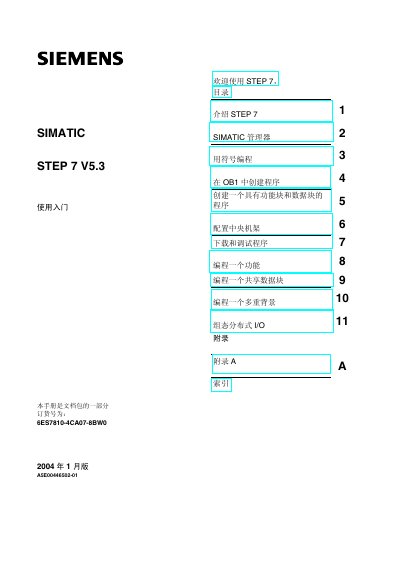
Siemens STEP 7 V5.3 Quick Start Guide
This guide introduces the STEP 7 V5.3 environment, covering the SIMATIC Manager, hardware‑software integration, and basic programming concepts such as ladder, function block and statement list languages. It walks the user through creating a project, configuring the central rack, and downloading programs to a PLC.
Later chapters show how to program functions, shared data blocks, multi‑instance blocks, and configure distributed I/O. An appendix provides example projects and an index for quick reference. This manual is written in Chinese.
Siemens STEP7 specifications
| Order number | 6ES7810-4CA10-8KW0 |
|---|---|
| Release date | October 2010 |
| Supported PLC series | SIMATIC S7‑300/400 |
Source: Siemens STEP 7 V5.5 User Manual – Getting Started Guide
All Siemens STEP7 documents by type
Day-to-day operation, settings and troubleshooting. Start here if the product is already set up.
Mounting, wiring and first power-up. Read it before the hardware goes in.
The shortest path to a working setup, usually only a few pages.
Instruction set, parameters and examples for configuring or programming the device.
Questions answered in these manuals
What safety symbols are used in the manual?
The manual uses symbols for danger, warning, caution and notice, each indicating the level of risk and required precautions.
From: Siemens STEP 7 V5.5 User Manual – Getting Started Guide
What hardware is required to follow the Getting Started guide?
You need a Siemens programming device or a PC, the STEP 7 software package with a license, and a SIMATIC S7‑300 or S7‑400 controller.
From: Siemens STEP 7 V5.5 User Manual – Getting Started Guide
What is the minimum memory requirement for installing STEP 7 V5.4?
The software requires at least 512 MB of RAM, with a recommended 1 GB for optimal performance.
How can installation errors caused by Chinese characters in the file path be resolved?
Rename the installation path to use only symbols, letters, or numbers instead of Chinese characters.
What hardware is required to follow the Quick Start Guide?
You need a Siemens programming device or PC, the STEP 7 software package with a license key, and a SIMATIC S7‑300 or S7‑400 PLC.
Where can the electronic manual be found after installing STEP 7?
It is located under Simatic > Documentation in the Windows Start menu.