
Key facts
- Brand
- Siemens
- Model
- S7-1200
- Industry
- Industrial
- Documents
- 16
- Languages
- ZH · ES · EN
- Last added
- 2026-10-22
Start here
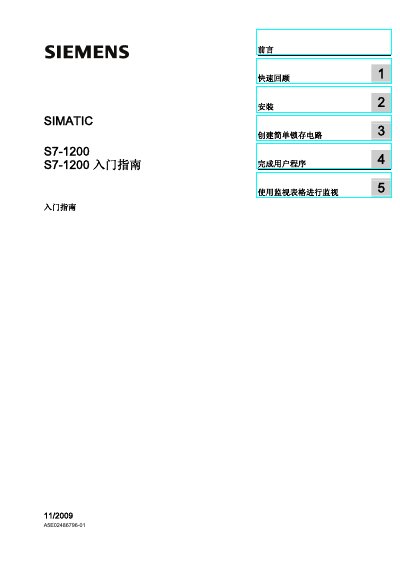
Siemens S7-1200 Quick Start Guide
The Siemens S7-1200 Quick Start Guide introduces the compact, low‑cost controller and walks new users through basic installation, creating a simple latch circuit, completing a user program, and using monitoring tables. It references the full SIMATIC S7-1200 Programmable Controller System Manual for detailed safety and hardware information.
The guide also explains CPU operation modes, power requirements, and how to change modes via the operator panel. An index and quick‑review sections help users locate information about I/O, memory, and programming functions quickly. This manual is written in Chinese.
Siemens S7-1200 specifications
| Built-in Memory (Working) | up to 50 KB |
|---|---|
| Loading Memory | 2 MB |
| Retentive Memory | 2 KB |
| Max Signal Modules (CPU 1214C) | 8 modules |
| Max Communication Modules | 3 modules |
| Data Transfer Rate | 10/100 Mbit/s |
All Siemens S7-1200 documents by type
Day-to-day operation, settings and troubleshooting. Start here if the product is already set up.
- Siemens S7-1200 Motion Control V6.0-V7.0 in TIA Portal V16 User Manual 458 p
- Siemens S7-1200 Starter Manual 138 p
- Siemens S7-1200 System Manual 404 p
- SIEMENS S7-1200 Manual
- Siemens WINCC OPC Communication with S7-1200 CPU User Manual 26 p
- Siemens S7-1200 Programmable Controller System Manual 401 p
- Siemens SIMATIC S7-1200 Getting Started Manual 137 p
- Siemens S7-1200 Introduction Manual 137 p
The shortest path to a working setup, usually only a few pages.
Questions answered in these manuals
What are the CPU models available in the S7-1200 series?
The series includes three different types: CPU 1211C, CPU 1212C, and CPU 1214C.
Can the controller be installed vertically or horizontally?
Yes, the hardware provides flexible installation options for both horizontal and vertical mounting.
What is the width of the CPU 1215C?
The width of the CPU 1215C is 130 mm.
From: Siemens S7-1200 Programmable Controller Product Brochure
How many high-speed counters does the S7-1200 controller support?
The controller supports up to 6 high-speed counters.
From: Siemens S7-1200 Programmable Controller Product Brochure
How many high‑speed counters does the S7‑1200 support and at what frequencies?
It supports up to six high‑speed counters: three at 100 kHz and three at 30 kHz.
From: Siemens S7-1200 Programmable Controller Product Sample
What operating system is required to use this manual?
To understand the document, you need knowledge of using a PC or programmer with the Windows operating system.
From: Siemens S7-1200 Motion Control V6.0-V7.0 in TIA Portal V16 User Manual