
Key facts
- Brand
- Siemens
- Model
- SP1
- Documents
- 3
- Languages
- ZH · EN
- Last added
- 2011-10-17
Start here
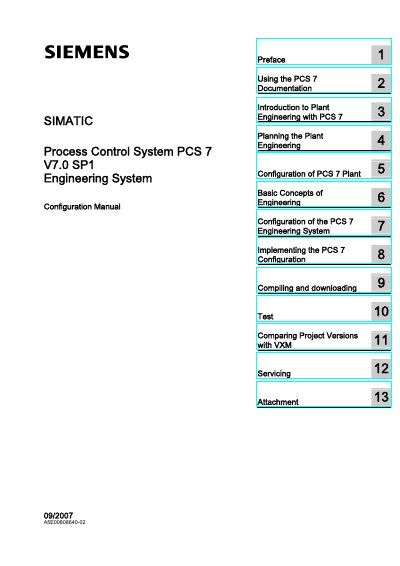
Siemens SIMATIC PCS 7 V7.0 SP1 Engineering System Configuration Manual
This manual describes the SIMATIC Process Control System PCS 7 V7.0 SP1 Engineering System and its configuration. It addresses qualified personnel and covers commissioning and operation requirements for the device/system.
The table of contents covers using PCS 7 documentation, introduction to plant engineering with PCS 7, planning the plant engineering, configuration of the PCS 7 plant, basic concepts of engineering, configuration of the PCS 7 engineering system, implementing the PCS 7 configuration, compiling and downloading, comparing project versions with VXM, and servicing.
Siemens SP1 specifications
| CPU (StoragePlus) | Pentium 4 or equivalent |
|---|---|
| Memory (StoragePlus) | 1 GB |
| Hard‑disk (StoragePlus) | 80 GB |
| CPU (CAS) | Pentium 4 or equivalent |
| Memory (CAS) | 1 GB |
| Hard‑disk (CAS) | 120 GB |
| CPU speed | 2.8 GHz or higher |
| Supported OS (StoragePlus) | Windows 2000 Professional/Server SP4, Windows XP Professional SP2, Windows Server 2003 Standard Edition SP1 |
| Supported OS (CAS) | Windows Server 2003 Standard Edition SP1 |
Source: Siemens PCS7 V6.1 SP1 StoragePlus Central Archive Server Installation Guide
All Siemens SP1 documents by type
Day-to-day operation, settings and troubleshooting. Start here if the product is already set up.
Mounting, wiring and first power-up. Read it before the hardware goes in.
Questions answered in these manuals
Who is allowed to install and operate the system?
Only qualified professionals are permitted to install and operate the equipment and systems described in this manual.
From: Siemens PCS 7 V7.0 SP1 Fault‑Tolerant Process Control System Configuration Manual
What safety symbols are used to indicate danger levels?
The manual uses a warning triangle for personal safety warnings, and a separate set of symbols without the triangle for property‑damage warnings.
From: Siemens PCS 7 V7.0 SP1 Fault‑Tolerant Process Control System Configuration Manual
What type of document is this?
It is the SIMATIC Process Control System PCS 7 V7.0 SP1 Engineering System Configuration Manual.
From: Siemens SIMATIC PCS 7 V7.0 SP1 Engineering System Configuration Manual
Who may commission and operate the device/system?
Commissioning and operation may only be performed by qualified personnel.
From: Siemens SIMATIC PCS 7 V7.0 SP1 Engineering System Configuration Manual
What are the computer hardware requirements for StoragePlus and Central Archive Server?
Both require a Pentium 4 or equivalent CPU, at least 1 GB RAM, and 80 GB (StoragePlus) or 120 GB (CAS) hard‑disk space, with a CPU speed of 2.8 GHz or higher.
From: Siemens PCS7 V6.1 SP1 StoragePlus Central Archive Server Installation Guide
Which Windows operating systems are supported?
StoragePlus supports Windows 2000 Professional/Server SP4, Windows XP Professional SP2, and Windows Server 2003 Standard Edition SP1; CAS supports Windows Server 2003 Standard Edition SP1.
From: Siemens PCS7 V6.1 SP1 StoragePlus Central Archive Server Installation Guide