
Key facts
- Brand
- Philips
- Model
- WAS7500
- Industry
- Electronics
- Documents
- 4
- Languages
- ZH · EN · SV
- Last added
- 2012-03-27
Start here
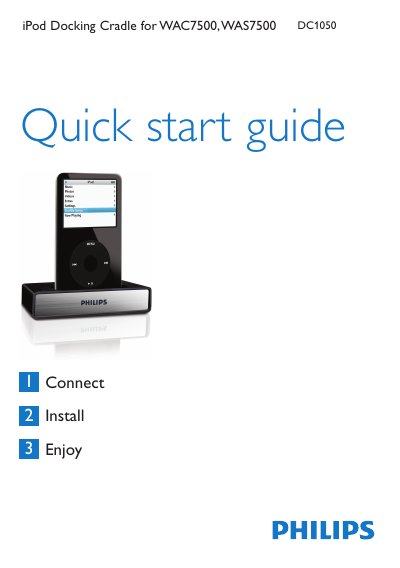
PHILIPS iPod Docking Cradle for WAC7500 WAS7500 DC1050 Quick start guide
The guide lists the items included in the box – the docking cradle with a fixed cable, an RCA extension cable and up to eight iPod dock adapters – and explains how to connect the cradle to a Music Center or Music Station using the RCA and 9‑pin DIN cables. It then walks the user through inserting the appropriate dock adapter, plugging in the iPod, and using the remote control to navigate iPod functions such as play, pause, volume and track selection.
A troubleshooting section helps resolve common issues like no sound or unresponsive remote control, and a brief specifications table provides the audio output connector details. The iPod also charges automatically when the cradle is connected and the Music Center or Station is powered on. This manual is written in Chinese.
Philips WAS7500 specifications
| General AC Power | 230V ±10% |
|---|---|
| Dimensions (W×H×D) | 616 mm × 272 mm × 172 mm |
| Weight (net) | ≈ 8.8 kg |
| Power consumption (active) | < 45 W |
| Frequency response | 60 Hz – 20 kHz (-3 dB) |
| Signal‑to‑noise ratio | 72 dB (IEC) |
| Tweeter power | 20 W RMS |
| Impedance | 6 Ω |
| Subwoofer power | 50 W RMS |
| Wireless standard | 802.11g (backwards compatible 802.11b) |
| Ethernet speed | 10 / 100 MBit/s |
| Hard‑disk storage capacity | 80 GB* |
| USB interface speed | 12 Mb/s (V1.1) |
Source: PHILIPS WACS7500 WAS7500 Manual
All Philips WAS7500 documents by type
Day-to-day operation, settings and troubleshooting. Start here if the product is already set up.
The shortest path to a working setup, usually only a few pages.
Questions answered in these manuals
How do I connect the iPod Docking Cradle to the Music Center?
Connect the cradle’s RCA red and white plugs to the Music Center’s Audio IN jacks and the 9‑pin DIN plug to the corresponding DIN jack, then insert the appropriate dock adapter and plug the iPod into the cradle.
From: PHILIPS iPod Docking Cradle for WAC7500 WAS7500 DC1050 Quick start guide
What should I do if there is no sound after connecting the iPod?
Check that the RCA and DIN cables are securely connected, point the remote control directly at the Music Center, and ensure the remote’s batteries are fresh.
From: PHILIPS iPod Docking Cradle for WAC7500 WAS7500 DC1050 Quick start guide
How do I connect the iPod docking cradle to the Music Center?
Connect the cradle’s cable to the Music Center or Music Station using the RCA red/white audio plugs and the 9‑pin DIN plug.
From: Philips WAC7500/WAS7500 iPod Docking Cradle Quick Start Guide
How do I replace the mains plug fuse?
Remove the fuse cover, take out the old fuse, and install a BS1362 5‑Amp approved fuse.
How many FM radio presets are available?
The device can store up to 60 FM presets.