
This is a CTH10A digital radio controlled clock with temperature and humidity displays by Extech. The clock can be set manually or automatically using the RC-WWVB time signal. The CTH10A includes an audible/visible daily alarm function with 'snooze' mode.
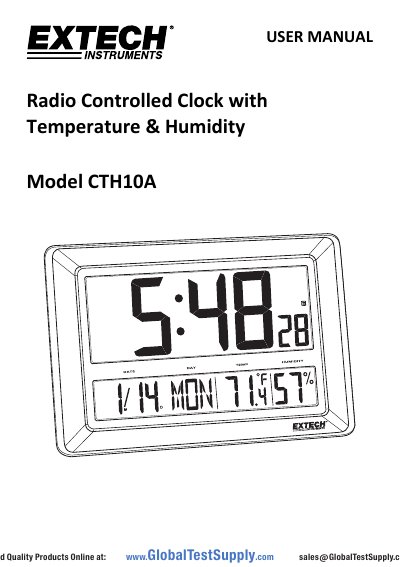
This is the Extech CTH10A user manual for the Radio Controlled Clock with Temperature & Humidity displays. The clock shows time in 12/24 hour format, the date, day of week, indoor temperature and indoor relative humidity from internal sensors, and it can set itself automatically from the RC-WWVB radio time signal or be set manually.
The manual explains the meter description and button layout, getting started with three 'C' batteries and a reset, automatic and manual time setting, time zone and DST settings, the daily alarm and snooze function, switching between °C and °F, battery replacement and disposal, and a specifications table.
| Display | Extra-large multi-function LCD |
|---|---|
| Calendar Clock | Real-time calendar clock, up to year 2069 |
| Time Signal Detector | RC-WWVB radio signal automatically sets the time; can also be set manually |
| Temperature Measurement Range | 0 to 50 °C (32 to 122 °F) |
| Storage Temperature | -20 to 60 °C (-4 to 140 °F) |
| Temperature Resolution | 0.1 °C or °F |
| Relative Humidity Measurement Range | 20 to 99% RH |
| Power Supply | Three (3) 'C' type batteries |
| Dimensions | 29 x 43 x 3.8 cm (11.4 x 17 x 1.5 in.) |
| Weight | 1.25 kg (2.75 lbs.) |
It uses three (3) 'C' type batteries, inserted in the rear battery compartment with correct polarity. After fitting them, press the Reset button to initialize the meter.
The clock synchronizes with the WWVB radio signal every day at 2am; if that fails it retries at 3, 4 and 5am.
Pressing the SNOOZE button when the alarm sounds snoozes the alarm for approximately 5 minutes, and this can be repeated 7 times.
Press the °C/°F button (B4) to select Celsius or Fahrenheit units for the temperature display.