
Key facts
Start here
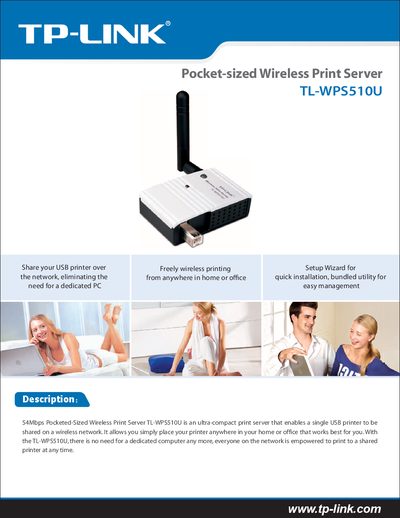
TP-Link TL-WPS510U Pocket-sized Wireless Print Server Quick Installation Guide
The TL-WPS510U is an ultra‑compact wireless print server that lets a single USB printer be shared on a Wi‑Fi network, allowing any computer on the network to print without a dedicated host. It includes a Windows‑based setup program (PSAdmin) and a quick‑installation guide for fast deployment.
Key features include IEEE 802.11g/b compatibility, up to 54 Mbps data rate, a detachable 2 dBi omni‑directional antenna with a typical indoor range of 50 m, 3.3 V DC/2 A power supply, and support for Windows, macOS and Linux operating systems. The device measures 65 × 40 × 20 mm and operates from 0 °C to 50 °C with 0 %–70 % non‑condensing humidity.
TP-Link TL-WPS510U specifications
| Wi‑Fi Standards | IEEE 802.11g/b |
|---|---|
| Frequency Band | 2.4–2.4835 GHz |
| Maximum Data Rate | 54 Mbps |
| Antenna Gain | 2 dBi detachable omni‑directional |
| Transmission Distance | up to 50 m indoor |
| Power Supply | 3.3 V DC, 2 A |
| Dimensions | 65 × 40 × 20 mm |
| Operating Temperature | 0 °C to 50 °C |
| Operating Humidity | 0 % to 70 % non‑condensing |
Source: TP-Link TL-WPS510U Pocket-sized Wireless Print Server Quick Installation Guide
All TP-Link TL-WPS510U documents by type
The shortest path to a working setup, usually only a few pages.
Day-to-day operation, settings and troubleshooting. Start here if the product is already set up.
Questions answered in these manuals
What is the maximum wireless range of the TL‑WPS510U?
The device can reach up to 50 m indoor in a clean environment with no obstacles.
From: TP-Link TL-WPS510U Pocket-sized Wireless Print Server Quick Installation Guide
What is the default IP address of the print server?
The default IP address is 192.168.0.10.
From: TP-LINK TL-WPS510U Single USB Wireless Print Server User Manual
How long must the reset button be held to restore factory settings?
You must hold the reset button for about 8 seconds.
From: TP-LINK TL-WPS510U Single USB Wireless Print Server User Manual