
Key facts
- Brand
- Philips
- Model
- MCD772
- Documents
- 4
- Languages
- ZH · EN
- Last added
- 2011-12-09
Start here
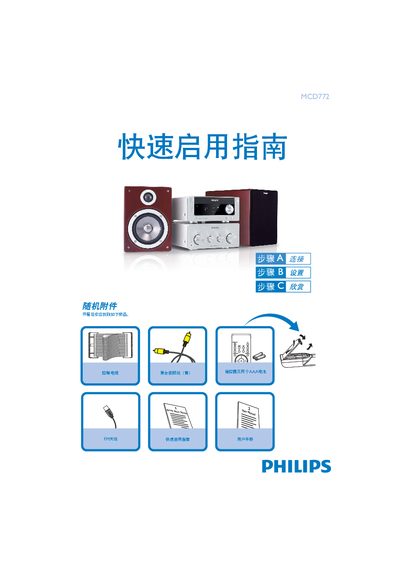
MCD772 Hi-Fi Quick Start Guide
The Quick Start Guide walks you through the initial setup of the MCD772 Hi‑Fi system, including unpacking, required accessories, and basic connection procedures.
It covers connecting the composite video cable, speaker cables, FM antenna, and control cable, setting the clock, programming radio stations, and using CD, DVD, and USB playback functions. This manual is written in Chinese.
Philips MCD772 specifications
| HDMI support | Yes |
|---|---|
| SPDIF support | Yes |
| 3D processing | Supported |
| USB compatibility | USB 2.0 or USB 1.1 |
Source: Philips MCD772 Quick Start Guide
All Philips MCD772 documents by type
Day-to-day operation, settings and troubleshooting. Start here if the product is already set up.
The shortest path to a working setup, usually only a few pages.
Questions answered in these manuals
How do I set the clock on the MCD772?
In standby mode, hold the CLOCK button; when the hour digits flash, turn the VOLUME knob or press VOL+/- to set the hour, then press CLOCK again to set minutes and confirm.
How can I program radio stations?
Press and hold the PROGRAM button for more than two seconds, then follow the band order to program all receivable stations.
How do I program radio stations on the MCD772?
Press and hold the PROGRAM key for more than two seconds, then use the tuning buttons to step through available stations until the desired presets appear.
Can I play music from a USB flash drive?
Yes, insert the USB plug into the unit, select the USB source with the SOURCE knob or USB button, and the device will play audio files just like CD tracks.
How do I connect the DVD player to a TV using HDMI?
Use an HDMI cable to connect the DVD player’s HDMI socket to the TV’s HDMI IN socket, then set the digital output to PCM only in the audio setup menu.
How should I clean a dirty disc?
Wipe the disc with a non‑abrasive cloth, moving from the centre outward, never in a circular motion.