
Key facts
- Brand
- Philips
- Model
- S900
- Documents
- 6
- Languages
- ZH
- Last added
- 2012-03-27
Start here
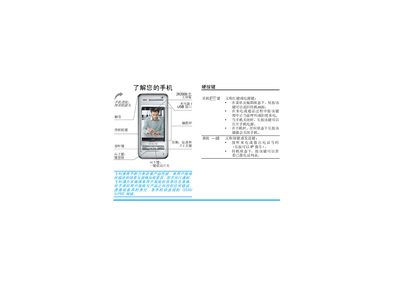
Philips S900 Phone User Manual
This manual covers the basic usage of the Philips S900 mobile phone, including hardware buttons, touchscreen navigation, and the functions of the built‑in camera, MP3 player, and other multimedia features. It also explains how to install the SIM card, battery, and Mini SD card, and how to use the phone's various menus and services.
Additional sections describe data connections such as GSM/GPRS, Bluetooth and infrared, as well as detailed troubleshooting steps, warranty information, and access to the Philips Club online services. This manual is written in Chinese.
Philips S900 specifications
| Supported video resolutions | 720p, 1080i, 1080p |
|---|---|
| Aspect ratios | 21:9, 16:9, 3:2 |
| Audio formats | Dolby TrueHD, Dolby Digital Plus, DTS‑HD Master Audio, PCM |
| Digital‑to‑Analog Converter | TI Burr‑Brown 24‑bit 192 kHz |
| HDMI output | HDMI rear connector |
| Power consumption | 25 W (operating), <0.25 W standby |
| Weight | 4.2 kg |
Source: philips 9000 series Blu-ray Disc player BDP9500 Manual
All Philips S900 documents by type
Day-to-day operation, settings and troubleshooting. Start here if the product is already set up.
Questions answered in these manuals
How do I register my Philips DS9000?
Register your product at www.philips.com/welcome.
What copyright year is shown for the Philips DS9000 manual?
The manual shows © 2010 Koninklijke Philips Electronics N.V.
What audio formats does the BDP9500 support?
It supports Dolby TrueHD, Dolby Digital Plus, DTS‑HD Master Audio, and PCM playback.
From: philips 9000 series Blu-ray Disc player BDP9500 Manual
What is EasyLink and how does it work?
EasyLink lets a single remote control all HDMI‑CEC compatible devices, allowing simultaneous operation of playback, standby, and other functions.
From: philips 9000 series Blu-ray Disc player BDP9500 Manual
How long does it take to fully charge the battery?
It takes about 3.5 hours to fully charge the battery.
What file system format is required for the Mini SD card?
The Mini SD card must be formatted with FAT‑16.