
Key facts
- Brand
- Philips
- Model
- LFH 660
- Category
- Other
- Industry
- Electronics
- Documents
- 2
- Languages
- EN · ZH
- Last added
- 2012-05-02
Start here
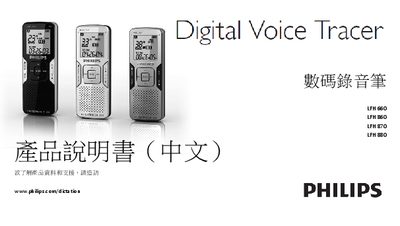
Philips LFH 660/860/870/880 Digital Voice Recorder User Manual
This manual covers the Philips LFH 660, LFH 860, LFH 870 and LFH 880 digital voice recorders. It introduces the device, its key features such as MP3 recording, FM radio, USB charging, and large internal memory, and explains safety precautions and proper disposal.
Detailed operating instructions are provided for battery installation, power on/off, hold function, date/time setting, recording with built‑in or external microphones, playback controls, radio tuning, personalization settings, USB connection to a computer, firmware updates, troubleshooting, and technical specifications. This manual is written in Chinese.
Philips LFH 660 specifications
| Connectivity | USB: High‑speed 2.0 mini‑USB |
|---|---|
| Microphone impedance | 2.2 kΩ |
| Headphone impedance | 16 Ω or more |
| Display type | LCD, segment |
| Screen size | 39 mm / 1.5 in. |
| Recording formats | .mp3, .wav (PCM) |
| Battery type | Two Philips AAA alkaline (LR03 or R03) |
| Battery life (SLP mode) | 50 hours |
| Dimensions | 40 × 18.4 × 108 mm (1.6 × 0.7 × 4.3 in.) |
| Weight | 81 g / 2.9 oz. incl. batteries |
Source: Philips LFH 660 / LFH 860 / LFH 870 / LFH 880 Digital Voice Tracer User Manual
All Philips LFH 660 documents by type
Day-to-day operation, settings and troubleshooting. Start here if the product is already set up.
Questions answered in these manuals
Why won't my recorder power on?
The batteries may be out of power or not inserted correctly; replace them and ensure they are properly seated.
From: Philips LFH 660 / LFH 860 / LFH 870 / LFH 880 Digital Voice Tracer User Manual
Why is there no sound from the speaker?
If headphones are plugged in, remove them and increase the volume setting.
From: Philips LFH 660 / LFH 860 / LFH 870 / LFH 880 Digital Voice Tracer User Manual