
Key facts
- Brand
- Panasonic
- Model
- WV-NP1000
- Category
- Camcorders
- Industry
- Electronics
- Documents
- 4
- Languages
- EN · ZH
- Last added
- 2012-08-08
Start here
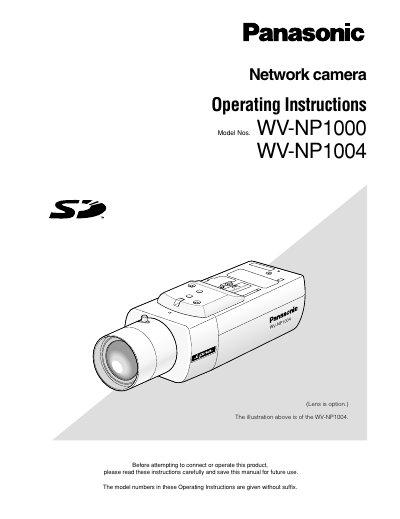
Panasonic WV-NP1000/WV-NP1004 Network Camera Operating Instructions
This document provides operating instructions for the Panasonic WV-NP1000 and WV-NP1004 network cameras. It details how to monitor live images and still pictures from a single or multiple cameras using a PC web browser. The guide explains how to access the camera's setup menu to configure image quality, audio, network settings, and alarm protocols.
Read onlinePanasonic WV-NP1000 specifications
| Default user name | admin |
|---|---|
| Default password | 12345 |
| Maximum concurrent users | 8 |
| Lens | Optional |
Source: Panasonic WV-NP1000/WV-NP1004 Network Camera Operating Instructions
All Panasonic WV-NP1000 documents by type
Day-to-day operation, settings and troubleshooting. Start here if the product is already set up.
Questions answered in these manuals
How do I take a still picture from the live view?
Click the '[a]' One shot button to take a picture, which will be displayed in a newly opened window.
From: Panasonic WV-NP1000/WV-NP1004 Network Camera Operating Instructions
What software is required to read the PDF operating instructions?
Adobe Reader is required to read these operating instructions.
From: Panasonic WV-NP1000/WV-NP1004 Network Camera Operating Instructions
How many users can access the camera at the same time?
Up to eight users can access the camera concurrently.
From: Panasonic WV-NP1000/WV-NP1004 Network Camera Operating Instructions
What is the minimum illumination required for the camcorder?
The camcorder needs 1.0 Lux in color mode, 0.06 Lux in black‑and‑white mode, and as low as 0.002 Lux in SENS UP mode.
Does the camcorder support remote network monitoring?
Yes, it has a built‑in 10/100 Base‑T Ethernet interface that allows remote monitoring via a computer.
Which model supports the audio transmission CGI parameter?
Only the NS202 model supports the audio transmission CGI parameter.